Customer Documentation for cPanel
WHMCS FAQ's for cPanel Knowledge Base
150 ready-to-use support articles covering cPanel, WordPress, FTP, and Softaculous.
Purchase $32 Live DemoOne Time Purchase • Instant Download • Fully Editable • WHMCS Ready
Customer Documentation for cPanel
150 ready-to-use support articles covering cPanel, WordPress, FTP, and Softaculous.
Purchase $32 Live DemoOne Time Purchase • Instant Download • Fully Editable • WHMCS Ready
How do I install the knowledge base addon? |
After purchase, download the ZIP file, upload it to your WHMCS |
How many articles are there |
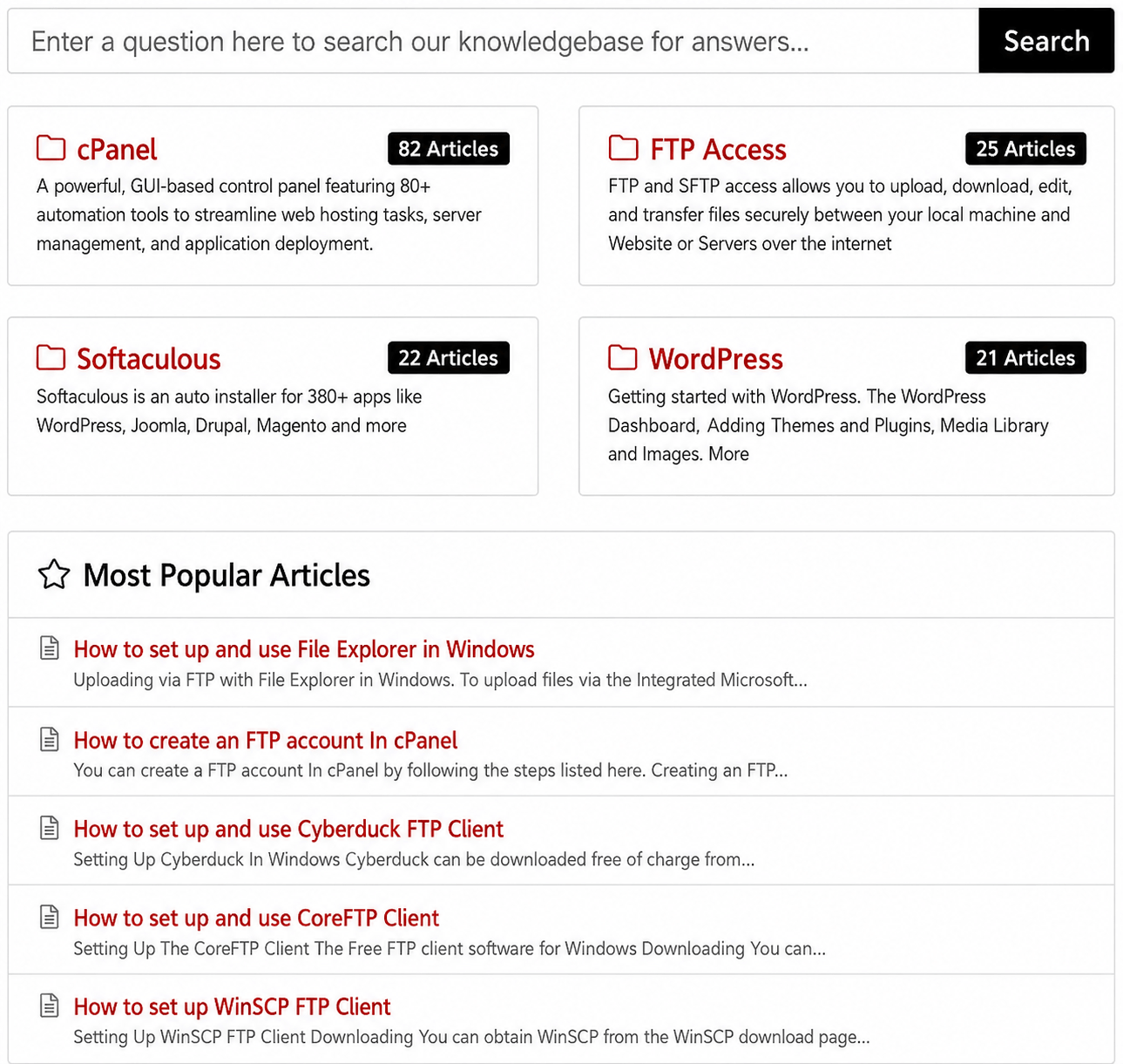
Currently 150 Articles - cPanel Tutorials 82 Articles, WordPress Tutorials 21 Articles, Softaculous Auto Installer 22 Articles, FTP Guide 25 Articles |
Will the template use the existing CSS files from my installation, or will it keep your default colors? |
This template uses the CSS and theme files from your existing WHMCS installation, ensuring seamless integration with your current setup. |
What do we receive after purchasing |
Upon payment, you will be given a zip file. |
Which WHMCS versions are supported? |
The module supports all recent versions of WHMCS. While the latest version is recommended, it is not mandatory |
Can I edit the imported articles? |
Yes, you can edit the articles through the WHMCS admin panel by going to |
Can custom watermark logo can be placed on images? |
Yes, you are welcome and encouraged to add your own watermark to the images |
After Installing your Knowledge Base, Can I add my own article? |
Yes, you can add your own article without any issue and our Module will not affect your existing Knowledge Base. |
What happens if I deactivate the module? |
All imported articles and their categories will be removed from your Knowledge Base. If you’ve made any custom edits, make sure to back them up before deactivating the module, as those changes will be lost. |
What happens if I reactivate the module after deactivating it? |
All articles and categories will be re-imported as fresh copies. Any previous edits or custom changes will not be restored |
Is there a working example of your Knowledge Base |
Yes you can see it at RSH Web Services |
What sort of payments do you accept? |
We accept all major credit cards: Visa, Mastercard, American Express, and Discover. As well as PayPal, Stripe, Apple Pay, Google Pay also Samsung Pay, EPS, Klarna, and Bancontact. If you know of a form of payment you would like us to accept please let us know |
Do you have any screen shots? |
Yes this is a screen shot of the main page Hover over image to enlarge |
Screen Shots |
This is a screen shot of the cPanel index page 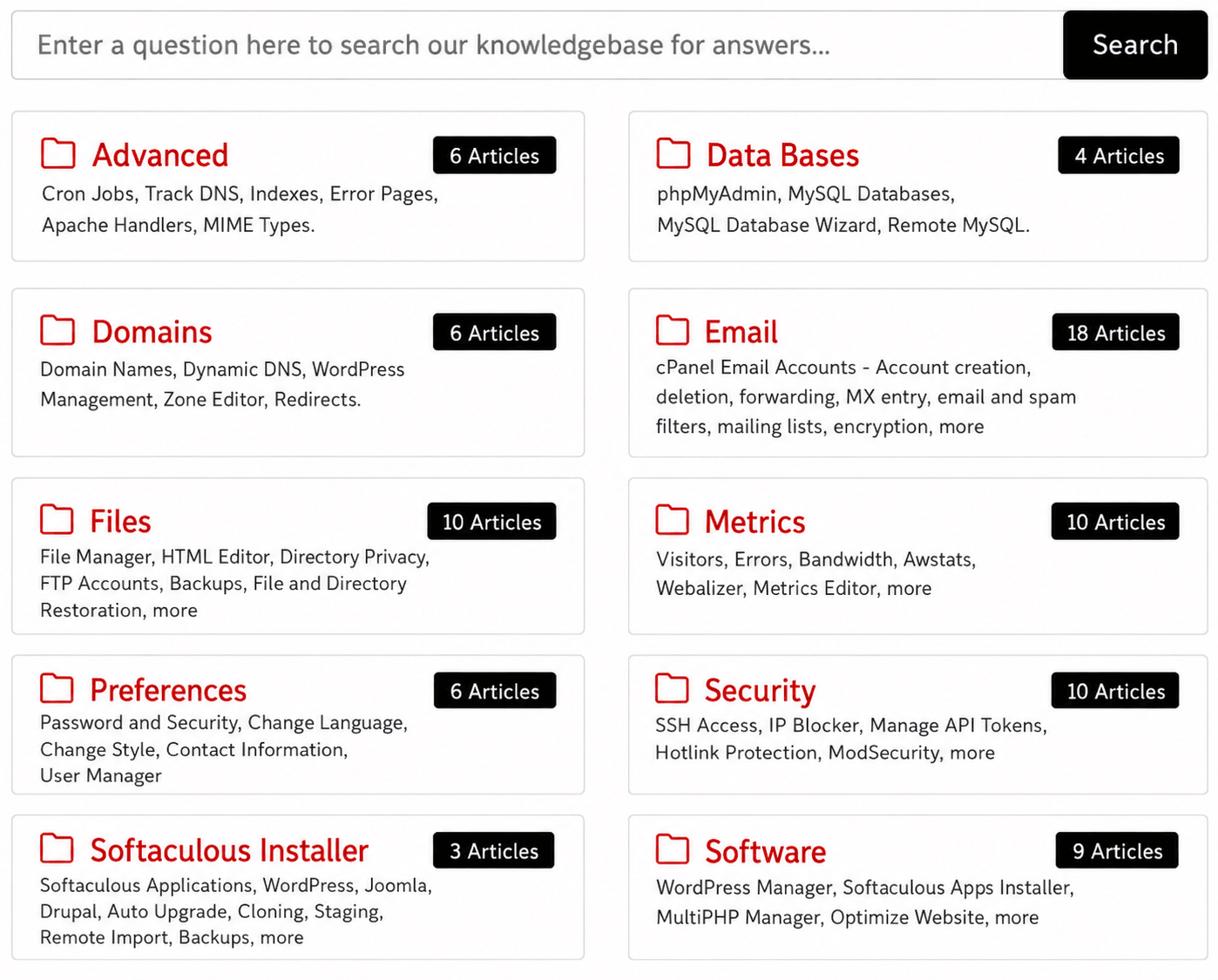 Hover over image to enlarge |
Screen Shots |
This is a screen shot of the index page for the Articles 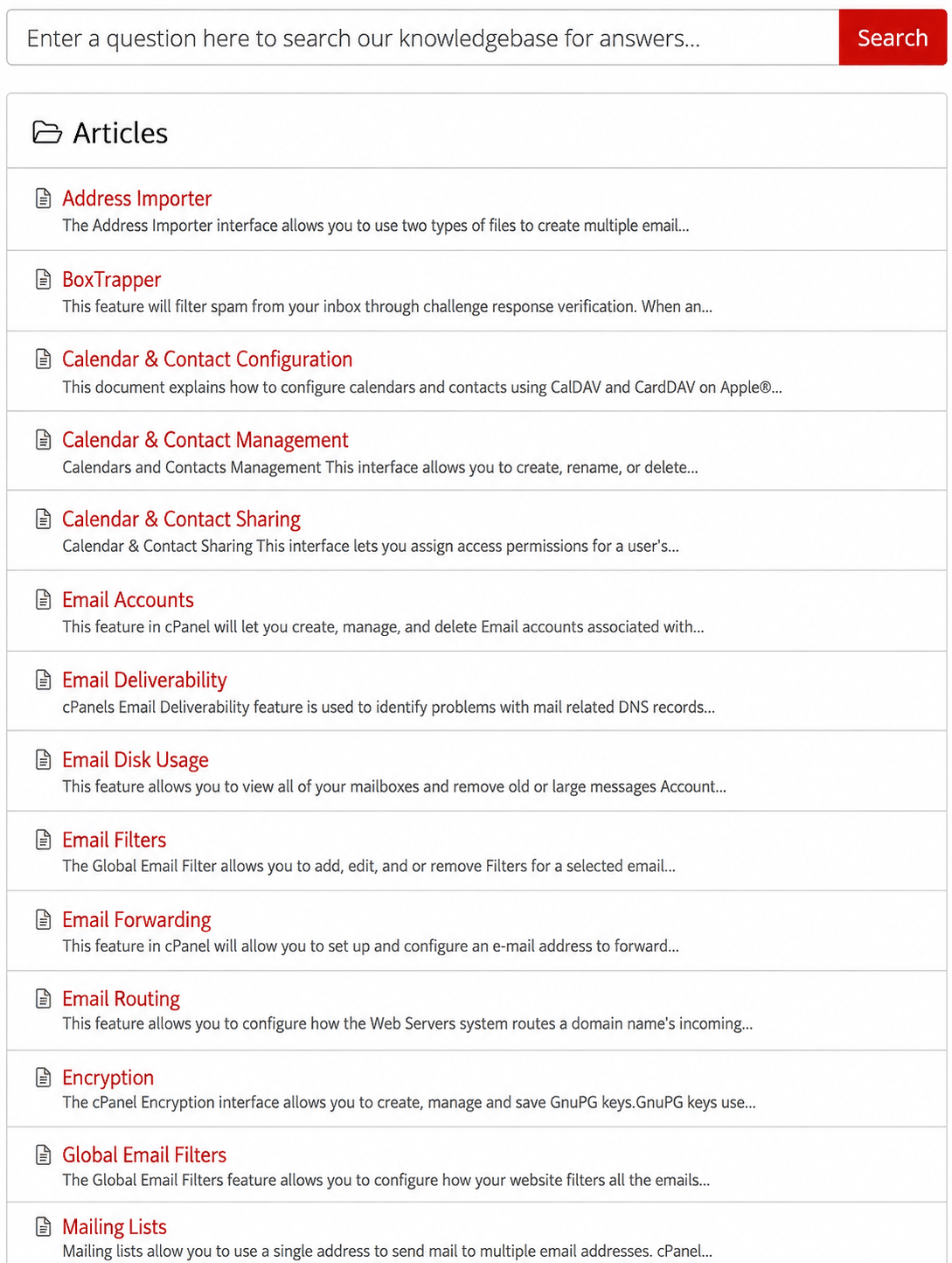 Hover over image to enlarge |
Screen Shots |
This screen shot shows an example of a actual article 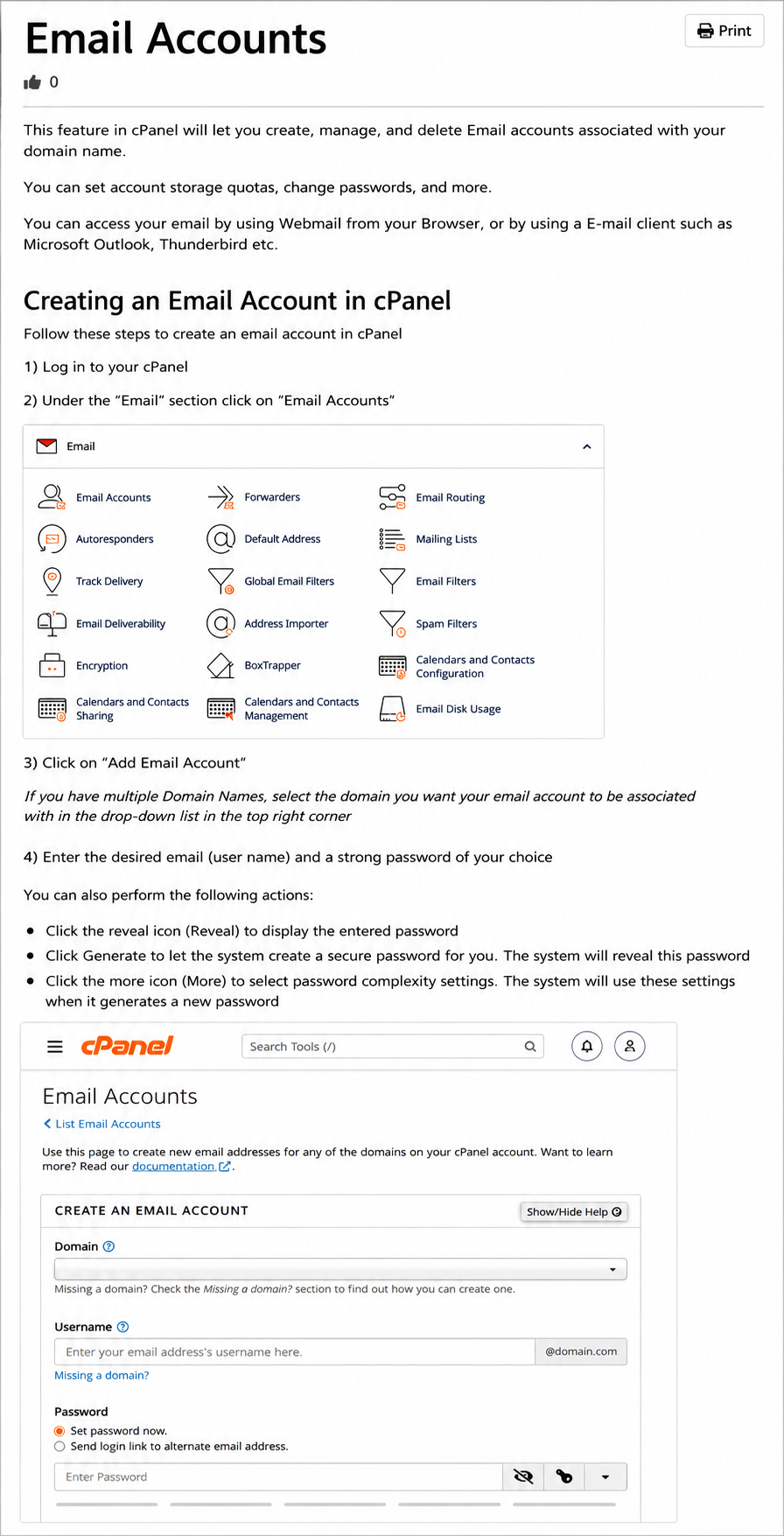 Hover over image to enlarge |
One-time payment • Lifetime updates