
Lychee Hosting Services
Domain Names free with all Hosting accounts
Lychee is actively maintained, self-hosted photo-management software for uploading, organizing, searching, viewing, and sharing image collections. It supports albums, tags, descriptions, full-screen viewing, password-protected sharing, EXIF and IPTC metadata, imports, and browser-based management while keeping the library under the site owner's control.
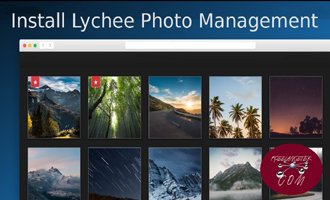
Lychee Maintenance and Compatibility
Softaculous lists Lychee 7.8.3 with a September 2, 2026 release date. The official project is open source under the MIT License. Lychee has evolved substantially from older releases, so use current documentation and verify the exact PHP, database, extension, command-line, and image-processing requirements before installation or upgrade.
What Is Lychee?
Lychee provides a browser-based workspace for importing, moving, renaming, describing, tagging, searching, and deleting photos. Albums can be public or protected, and image metadata remains available alongside the library.
Who Is Lychee For?
It suits photographers, families, creative teams, clubs, and organizations that want a clean self-hosted photo library without placing original media in a third-party social network. Administrators should be comfortable managing storage, updates, and backups.
Key Lychee Features
Albums and nested photo organization
Browser-based uploads and imports
Tags, descriptions, and search
EXIF and IPTC metadata
Public and password-protected sharing
Full-screen photo viewing
Open-source MIT-licensed code
Control over self-hosted media
Choose the Lychee Hosting Plan That Is Right for You
Compare the supported runtime, database or file-storage method, upload size, media processing, storage, bandwidth, and backup requirements for the exact Lychee release. RSH Web Services can help with installation and hosting questions.
Browse our affordable web hosting plans below to compare features and pricing. Start with the plan that matches your current needs, then upgrade anytime or request a custom hosting solution as your website expands.
Pro Personal
For portfolios & blogsRenews at $7.99/mo
- 25 GB SSD Storage
- Free Domain Names
- Unmetered Bandwidth
- Secure Payment Options
- SiteJet AI Website Builder
- 360 Website Monitoring
- 45 Day Guarantee
- Encrypted Offsite Backups
- Malware Scan - Included
- WordPress - Included
- cPanel Softaculous - Included
- SSL Certificates - Included
- 5 Email Accounts
- 5 Parked Domains
- 5 Sub Domains
- 1 Website
Secure Checkout • Easy Setup
Pro Business
Growing teams & shopsRenews at $10.99/mo
- 50 GB SSD Storage
- Free Domain Names
- Unmetered Bandwidth
- Secure Payment Options
- SiteJet AI Website Builder
- 360 Website Monitoring
- 45 Day Guarantee
- Encrypted Offsite Backups
- Malware Scan - Included
- WordPress - Included
- cPanel Softaculous - Included
- SSL Certificates - Included
- 25 Email Accounts
- 25 Parked Domains
- 25 Sub Domains
- 5 Websites
Secure Checkout • Easy Setup
Pro Ultimate
For Unlimited ScaleRenews at $15.99/mo
- Unlimited SSD Storage
- Free Domain Names
- Unmetered Bandwidth
- Secure Payment Options
- SiteJet AI Website Builder
- 360 Website Monitoring
- 45 Day Guarantee
- Encrypted Offsite Backups
- Malware Scan - Included
- WordPress - Included
- cPanel Softaculous - Included
- SSL Certificates - Included
- Unlimited Email Accounts
- Unlimited Parked Domains
- Unlimited Sub Domains
- Unlimited Websites
Secure Checkout • Easy Setup
Possible Website Uses for Lychee
Use Lychee for personal photo libraries, client proofing collections, event albums, family archives, travel photography, club galleries, or internal visual references. Plan access rules and storage capacity around whether albums are private, shared by link, or publicly indexed.
Install Lychee Through cPanel
RSH Web Services offers Lychee installation through Softaculous in cPanel. Select the application, verify the release and requirements, choose the domain and directory, and configure the administrator account. RSH Web Services can help with installation questions.
For a manual installation, follow the publisher's instructions for the exact release. Upload the files, create and assign a database when required, complete configuration, set only the required permissions, and test the gallery before making it public.
Migrating or Upgrading Lychee
Create complete cPanel backups and inspect Softaculous controls for the recognized Lychee installation before moving or upgrading it. Preserve the database, photo storage, configuration, symbolic links or storage paths, and any customizations together. Follow the project's release-specific upgrade path, then test album access, metadata, imports, thumbnails, and sharing before changing the live site.
Lychee Hosting Requirements
Lychee requires a supported PHP environment, compatible database, required PHP extensions, and adequate storage and memory for original files and image processing. Current releases may also require command-line or dependency-management steps. Follow the official documentation for Lychee 7.8.3 rather than older installation guides.
Lychee Security
Keep Lychee, PHP, and dependencies current; protect administrator accounts; disable registration when it is not needed; and review album visibility and password settings. Restrict upload size and file types, protect configuration credentials, and test private albums while signed out. Do not assume an unlisted album is inaccessible without verifying direct URLs.
Backups and Recovery
Back up the database, original photos, generated derivatives when needed, configuration, and custom files as a synchronized set. Store an additional copy outside the account and test restoration in another directory. Confirm albums, tags, metadata, permissions, shared links, and original downloads after recovery.
Lychee Resources and Hosting Features
Hosting Tools
The existing application, hosting, cPanel, demo, documentation, and support links are retained here for reference. Check older documents and demonstrations against the installed release before following technical instructions.
Frequently Asked Questions
Is Lychee actively maintained?
Yes. Softaculous lists Lychee 7.8.3 with a September 2, 2026 release date. Use the project's current documentation because deployment and upgrade requirements have changed across major versions. Verify third-party integrations and any custom modifications separately before applying a production update.
What license does Lychee use?
The official Lychee repository distributes the application under the MIT License. That permissive license still requires preservation of its copyright and license notice. Review the license included with the exact release and check separate terms for external services, themes, or integrations used with the gallery.
Can RSH Web Services install Lychee?
Yes. RSH Web Services offers Lychee installation through Softaculous in cPanel and can help with installation questions. Select Lychee, choose the domain and directory, configure the database and administrator account, and verify the installed release. Manual deployment remains available when the documented application workflow requires more control.
Can Lychee protect private albums?
Lychee supports password-protected album sharing and configurable visibility. Review the options available in the installed release, choose strong passwords, and test access in a private browser while signed out. Also verify whether direct image links, downloads, search, or cached previews expose anything that should remain restricted.
Does Lychee preserve photo metadata?
Lychee supports EXIF and IPTC metadata and can display information alongside photos. Metadata handling depends on the source file, PHP extensions, configuration, and import method. Test representative images, including orientation and location data, and decide whether sensitive metadata should be retained or removed before publishing.
How much storage should I plan for?
Include original photos, generated thumbnails or display sizes, temporary import files, logs, and backups in the estimate. Measure representative uploads instead of relying on image counts alone. Keep enough unused capacity for image processing and restoration, and plan how the library will grow during the hosting term.
Can I import photos from another server?
Lychee supports multiple import workflows, but available sources and steps vary by release. Follow the current documentation and test a small batch first. Confirm filenames, dates, metadata, album placement, duplicates, permissions, and storage paths before importing a large archive or removing the original copy.
How do I move a Lychee installation?
Use cPanel to back up files and database and inspect Softaculous options for the recorded installation. Transfer photo storage, database, configuration, and custom files together. Test login, albums, metadata, thumbnails, private links, and uploads at the destination before changing DNS or deleting the source.
What should a Lychee backup contain?
Keep the database, original media, required generated files, configuration, and custom assets in one versioned backup set. Store another copy outside the hosting account and restore it in a test directory. A database-only backup cannot recover photographs, while media alone cannot recreate albums, tags, users, or permissions.
Share and Related Lychee Information
Tweet Share Pin Email
Whether a small business or just starting out we can help you get up and running
45 Day Unconditional Guarantee On all Lychee Hosting Packages No questions asked