


With more advanced functions, such as MIME types, cron jobs, OpenPGP keys, Apache handlers, add-on domains and subdomains, password protected directories
cPanel is an easy-to-use interface also for web maintenance. Even a user completely new to web hosting can easily manage their own hosting account.
Watch our video about cPanel Hosting Services on YouTube

Advantages of cPanel
•Easy to use
•Supports all languages
•Adapts the screen size automatically to use on any device
•Built in file manager to manage all files
•phpMyAdmin tool to manage the databases easily
•Online web based email clients
•Automatic upgrades of Apache, MySQL, PHP, and other applications
cPanel Features
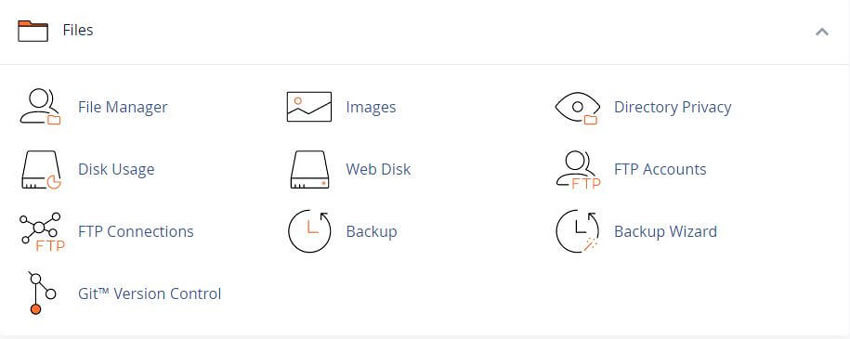
Files
File Manager
File Manager gives you many options to quickly manage your files. This feature allows you to upload, create, remove, delete and edit files without the need for FTP or other third party applications.
Images
The "Images" interface allows you to modify and manage images. Including Thumb nailer to create thumbnail's from images in a directory and store them in a thumbnail subdirectory. Scaler to resize individual images.
Directory Privacy
This "Interface" allows you to protect specific directories. Enable this feature to password protect specific directories that you do not want to allow visitors to access.
Disk Usage
This feature will display information about your files, your directories, and how you use your account's disk space.
Web Disk
Use the Web Disk feature to access to your Website's files on multiple types of devices, such as your computer or mobile device.
FTP Accounts
Use the FTP Accounts interface to add and manage FTP accounts - (File Transfer Protocol).
FTP Connections
The FTP connections interface is for viewing current connections to your site via FTP. Terminate any seen FTP connections to prevent unauthorized or unwanted file access.
Anonymous FTP
Use the Anonymous FTP interface to allow users to connect to your FTP directory without a password
Warning: We strongly recommend that you do not enable Anonymous FTP. This can allow malicious software uploads, which can harm your website or create Website Backdoors.
Backup Wizard
The Backup Wizard Interface allows you to back up all or part of your website, or to restore it from the most recent backup file.
File Restoration
You can restore a file or directory from a direct path through your cPanel account's home directory.
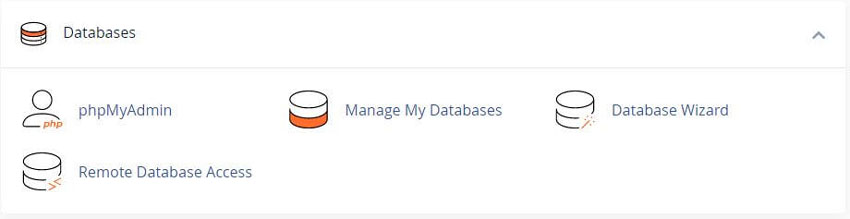
Databases
phpMyAdmin
phpMyAdmin is a third party tool that you can use to manipulate MySQL databases. For more information about how to use phpMyAdmin, visit the phpMyAdmin Website.
MySQL Databases
MySQL Databases Interface can manage large amounts of information on your website's. Many web-based applications (for example, bulletin boards, Content Management Systems, and online retail shops) require database access.
MySQL Database Wizard
MySQL Database Wizard guides you through the setup of a MySQL database, user accounts, and user privileges. We recommend that you use this wizard to create your first database and user.
Remote MySQL
The Remote MySQL Interface is to configure databases that users can access remotely. Use this feature if you want to allow applications (for example, bulletin boards, shopping carts, or guestbooks) on other servers to access your databases.
PostgreSQL Databases
To create your first database and user, we recommend that you use the PostgreSQL Database Wizard Interface (for example, bulletin boards, content management systems, and online retail shops) require database access.
PostgreSQL Database Wizard
To simultaneously create a database and the account that will access it, use the PostgreSQL Database Wizard Interface. Many web based applications require database access.
phpPgAdmin
phpPgAdmin is a third-party tool that you can use to manipulate PostgreSQL databases. For example, you can use phpPgAdmin to add or delete records in a PostgreSQL database. For more information about how to use phpPgAdmin, visit the phpPgAdmin website.
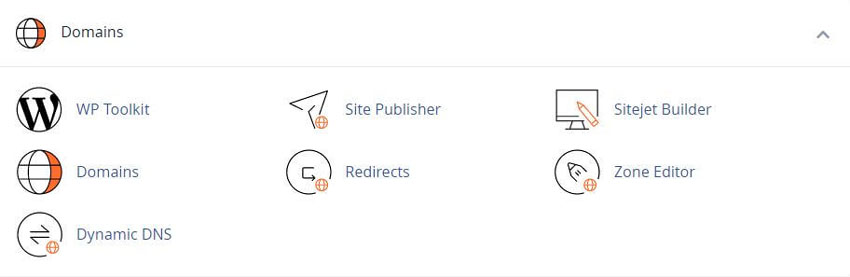
Domains
Domains
Use the cPanel Domains Interface to list, create and manage all domains from a single cPanel account. Also, Redirect visitors from the insecure version to a secure version by checking box "Enable Force HTTPS Redirect".
Site Publisher
The Site Publisher allows you to quickly create simple websites from a variety of templates. You can use this feature, like a "Welcome Page", to ensure that visitors can find your contact information while you design a more elaborate website.
Add-on Domains
Use the Add-on Domains Interface to add more domains to your account. Each add-on domain has its own directory and files and will appear as a separate website to your visitors.
Subdomains
Subdomains are subsections of your website that can exist as a new website without a new domain name. Use this interface to create memorable URLs for different content areas of your site. For example, you can create a subdomain for your blog that visitors can access through "blog.domain.com" instead of "www.example.com/blog".
Aliases
Use the Aliases to create domain aliases. Domain Aliases allow you to point additional domain names to your account's existing domains. This allows users to reach your website if they enter the pointed domain alias in their browsers.
Redirects
Use the Redirects Interface to make a specific web page or even a domain to redirect to another web page and display its contents. This allows users to access a page with a long URL through a page with a shorter, more memorable URL.
Zone Editor
Use the Zone Editor Interface to add, edit, and remove A, AAAA, CNAME, SRV, MX, and TXT DNS records. It combines the functions of the Simple Zone Editor and Advanced Zone Editor interfaces.
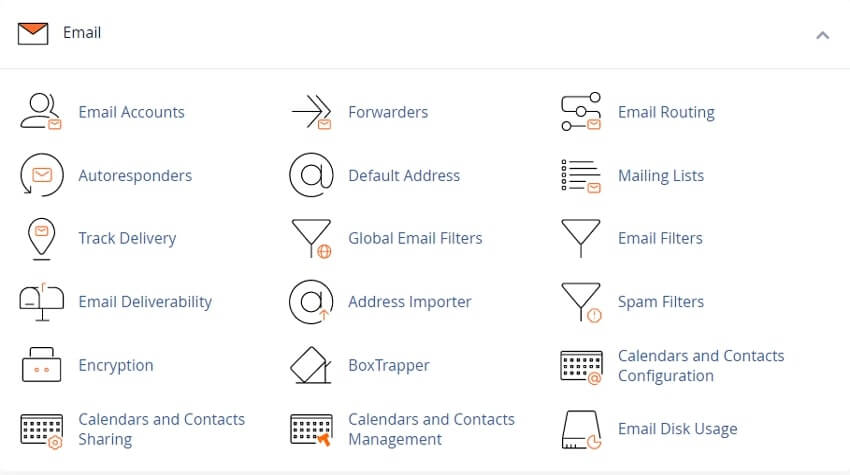
Email Accounts
Use the Email Accounts Interface to create, edit, delete and manage the email account for your domains.
Forwarders
The Forwarders interface allows you to forward any incoming email from one address to another. For example, if your cPanel account owns both joe@example.com and joseph@example.com, you could forward joe@example.com to joseph@example.com and eliminate the need to check both accounts.
Email Routing
Use the Email Routing feature to route a domain's incoming mail to a specific server.
Auto responders
The Auto responders interface is used to send automated emails to anyone who sends mail to a specific email account. You may wish to use this feature if, for example, you are on vacation, are unavailable, or have a generic message that you wish to send from a support email address.
Default Address
Use the Default Address feature to set up a Default Address, or catch-all address, that receives any mail that users send to an invalid email address for the domain.
Mailing Lists
Mailing lists allow you to use a single address to send mail to multiple email addresses. cPanel handles mailing lists with the third-party Mailman application.
Track Delivery
Use the track delivery to review email delivery attempts. You can also use this feature to trace an email's delivery route. For example, use this feature if you need to locate problems with email delivery.
Global Email Filters
The Global Email Filters are used to create email filters for all of your cPanel email accounts.
Email Filters
Use the Email Filters interface to create email filters for a specific email address. You can use this feature to avoid spam, redirect mail, or pipe messages to a program.
Authentication
Use the Authentication feature to secure your mail server more secure and view information about outgoing messages. You can use this feature to verify whether an email was sent from a trusted sender.
Address Importer
Address Importer can be used to import files in order to create multiple email addresses or forwarders simultaneously.
Apache Spam Assassin
Use Apache Spam Assassin to configure the Spam Assassin, an email filter that identifies spam.
Archive
Use the Archive Interface to save incoming, outgoing, or mailing list emails for a specified amount of time.
Encryption
This feature allows you to create, store, and manage GnuPG keys. These keys use the public key approach for encryption. Programs that use GnuPG keys encrypt outbound messages with a public key. Only the intended recipient, who possesses the private key, can decrypt the message.
BoxTrapper
Use the BoxTrapper to protect your inbox from spam. BoxTrapper requires all email senders who are not on your white list to reply to a verification email before you can receive their messages.
Calendars and Contacts
Use Calendars and Contacts feature to configure your calendars and contact applications. For more information see: How to Set Up Calendars and Contacts documentation.
Configure Greylisting
To manage Greylisting for each domain on your account. Greylisting defends email users against spam. When you enable this feature, the mail server will temporarily reject any email from a sender that the Server does not recognize.
Email Disk Usage
Use the Email Disk Usage to view all of your mailboxes and quickly remove old emails or large messages.
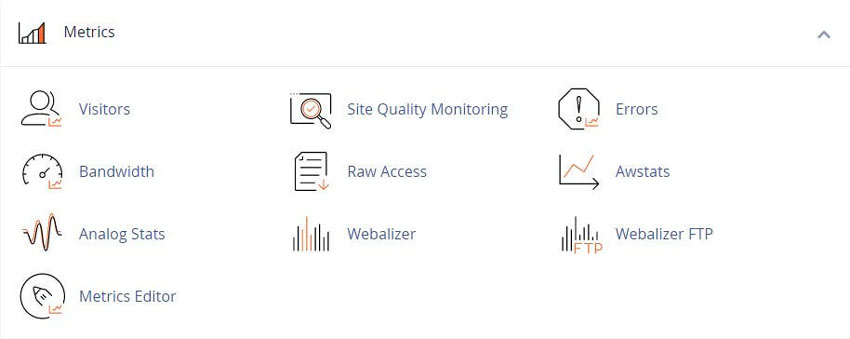
Metrics
Visitors
The Visitors interface View the most recent entries in the Apache log for a given domain. The specific URL that the visitor accessed, and more.
Errors
The Errors Display the last 300 errors for your site. This data can help you find broken links, missing files, and other problems.
Bandwidth
The Bandwidth interface shows your site's monthly and overall bandwidth usage.
Raw Access
Raw Access lists visitors to your website without graphs, charts, or other graphics. Download a zipped version of your server's access log to quickly access your site's visitors.
Awstats
Awstats displays traffic statistics from the Advanced Web Statistics (AWStats) software, which compiles information about how users access your website.
Analog Stats
Use the Analog Stats Feature to view Analog Stats metrics. Analog Stats is a metrics program that produces a simple summary of visitors to your site.
Webalizer
Webalizer. A metrics program that produces a variety of charts and graphs about visitors to your site. The Webalizer is a fast, free web server log file analysis program.
Webalizer FTP
The Webalizer FTP views Webalizer metrics for FTP. Webalizer produces a variety of charts and graphs about visitors that used the FTP protocol to access your site.
Metrics Editor
Use the Metrics Editor Interface to select the metrics programs that you want to run on each domain.
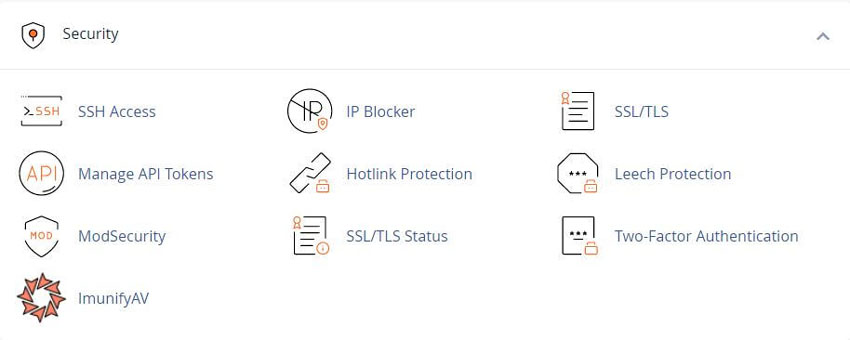
Security
SSH Access
Use the SSH Access interface, to securely connect to your sever remotely through the command line known as SSH.
IP Blocker
The IP Blocker feature prevents access to your site from a range of IP addresses. If you enter a fully qualified domain name, this feature will attempt to resolve it to an IP Addresses.
SSL/TLS
The SSL/TLS Manage SSL/TLS keys, certificates, and signing requests, and to enhance your website's security.
Hotlink Protection
The Hotlink Protection Interface to prevent hotlinks to your website's. A hotlink occurs when another site embeds content from your site and uses your bandwidth to serve the files.
Leech Protection
Use the Leech Protection interface to set a maximum number of logins that can occur within a two-hour time limit. This feature can help you manage users who wish to publicly post their passwords to a restricted area of your site.
Security Policy
Security Policy Feature Configure the security questions that cPanel displays when you attempt to log in to your account from an unrecognized IP address.
ModSecurity
Use the Modsecurity interface to enable or disable ModSecurity™ for your domains.
Two-Factor Authentication
Two-Factor Authentication Configure an improved security measure that requires two forms of identification to log in. If you disable this feature, you must also remove any existing 2FA user configurations.
SSL/TLS Wizard
Use the SSL/TLS Wizard to easily purchase and install SSL certificates for domains on your account. It also lists purchased certificates that an SSL certificate provider has not delivered.
SSL/TLS Status
With the SSL/TLS Status interface, you can view, upgrade, or renew your SSL certificates.
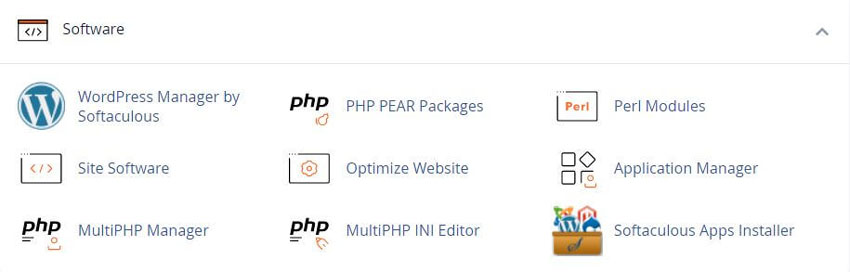
Software
PHP
Use the PHP interface to view specific information about your server's PHP configuration.
PHP PEAR Packages
PHP Pear Packages are software components that developers write in the PHP language. The PHP PEAR feature allows you to search for and add PEAR packages to your website.
Perl Modules
Perl Modules are software components in the Perl language. This feature allows you to search for and install Perl modules from the CPAN repository to your website.
Site Software
cPAddon software packages add useful functions to your website. For example, cPAddons can run blogs, bulletin boards, ecommerce software, guest books, and other services.
Optimize Website
Use the Optimize Website interface to tweak the way Apache serves responses and enhance the performance of your website.
MultiPHP Manager
Use the MultiPHP Manager to easily manage the PHP configuration of your accounts. In this interface, you can manage the PHP version or pool option of any virtual host.
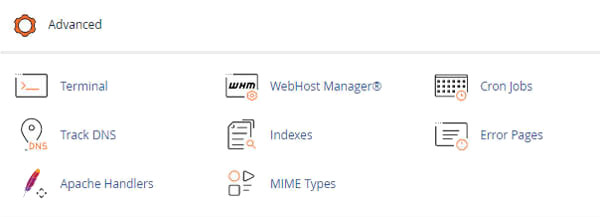
Advanced
WebHost Manager
WHM Feature Manager. Use this link to access the WebHost Manager (WHM) Demo interface.
Cron Jobs
Cron Jobs are used to automate certain commands or scripts on your site to run at a specific time. For example, you could set a cron job to delete temporary files every week to free up disk space.
Track DNS
The Track DNS feature can look up an IP address or trace the route from your computer to your web server. This feature can help you to verify that you have properly configured your website's DNS.
Indexes
The Indexes allows you to customize the way in which directories display when a visitor attempts to access them. Typically, visitors will see an Apache index page for that directory. Or configure to disable the index display for a directory.
Error Pages
Use the Error Pages Interface to configure messages in order to inform visitors that the web page cannot be found. For example, a visitor who enters a nonexistent URL will see a 404 error message and a site map to help them find the proper URL.
Apache Handlers
Use the Apache Handlers interface to control how the Apache web server manages certain file types and extensions for your site. You can manually add the handler and extension to configure Apache to handle a new file type with an existing handler.
MIME Types
Mime Types are how cPanel relays information to the browser about how to handle specific file extensions. For example, on most servers, the text/html MIME type equates to the .htm, .html, and .shtml extensions, which causes the browser to interpret those files as HTML files.
Virus Scanner
The Virus Scanner scans your cPanel account for security threats. If ClamAV® Virus Scanner identifies a security threat, the system prompts you to perform an action.
API Shell
Use the API Shell interface to run cPanel API functions within the cPanel interface. API functions may change or delete data on your server, which can cause your server to fail.
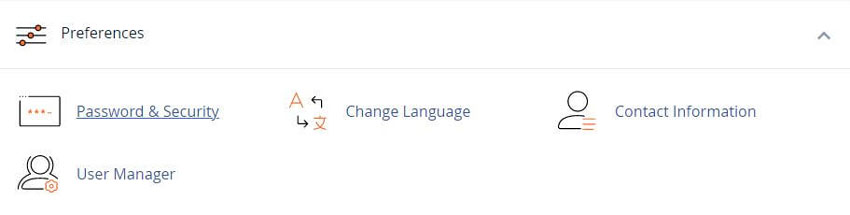
Preferences
Password and Security
Use the Password and Security interface to change your cPanel account's password, and to manage your External Authentication accounts. To ensure your account's security, make certain you create a strong password.
Change Language
To change your cPanel interface's language, perform the following steps: Select the language that you wish to use from the Select a language menu.
Change Style
Use the Change Style Interface to select the style in which the cPanel interface displays.
Contact Information
Use this Contact Information Interface to store contact information for your cPanel account and to set your contact preferences.
User Manager
The User Manager allows you to add, manage, and delete your users and subaccounts. This interface allows you to link service accounts to subaccounts, and to manage each subaccount's access to email, FTP, and Web Disk.
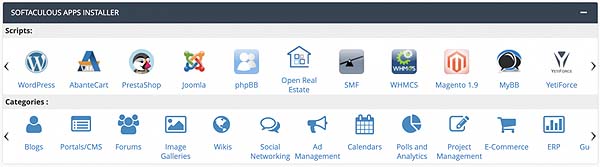
Softaculous
Having more than 350 scripts, such as:
WordPress, AbanteCart, PrestaShop, Mambo, Drupal,
Pubvana , WHMCS, Gallery, Concrete5, Open Real Estate, Open Cart, CubeCart
cPanel Hosting
RSH Web Services cPanel Hosting offers a user-friendly and efficient solution for managing your website with ease. Featuring the popular cPanel control panel, this hosting service simplifies tasks such as domain management, email setup, and application installations through an intuitive interface. Our hosting ensures robust performance with reliable uptime, comprehensive security features, and scalable resources to support both small and large websites. Ideal for users seeking a straightforward, all-in-one hosting experience, RSH Web provides the tools and support needed to efficiently manage and grow your online presence.
See our Video on cPanel Hosting Services
Add Comment
This policy contains information about your privacy. By posting, you are declaring that you understand this policy:
- Your name, rating, website address, town, country, state and comment will be publicly displayed if entered.
- Aside from the data entered into these form fields, other stored data about your comment will include:
- Your IP address (not displayed)
- The time/date of your submission (displayed)
- Your email address will not be shared. It is collected for only two reasons:
- Administrative purposes, should a need to contact you arise.
- To inform you of new comments, should you subscribe to receive notifications.
- A cookie may be set on your computer. This is used to remember your inputs. It will expire by itself.
This policy is subject to change at any time and without notice.
These terms and conditions contain rules about posting comments. By submitting a comment, you agree with these rules:
- Although the administrator will attempt to moderate comments, not all comments can be moderated at all times.
- You acknowledge that all comments express the opinions of the original author and not those of the administrator.
- You will not post material which is knowingly false, obscene, hateful, threatening, harassing or invasive of privacy.
- The administrator has the right to edit, move or remove any comment for any reason and without notice.
Failure to comply with these rules may result in being banned from submitting further comments.
These terms and conditions are subject to change at any time and without notice.
Tweet Share Pin Email
 Ultimate Guide for The Best Bootstrap 4 Resources and Reference
 Boost Hosting Support with a cPanel Knowledgebase
 The Best Blogs Articles and Publications For SEO Marketing
 Social Media Marketing on a Budget: Cost-Effective Strategies
Comments