
cPanel - Software - Multi PHP Manager
This feature gives you the capability to manage your account's PHP configuration. Manage updating and how to change the PHP version.
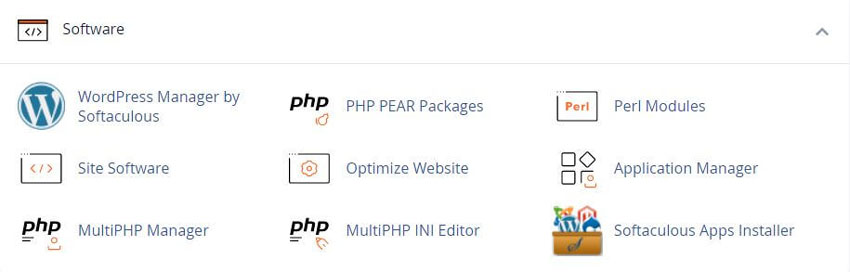
In this interface, you can manage the PHP version or pool option of any virtual host.
The system PHP version refers to version of PHP that functions as the global default for all accounts.
Only the system administrator can set the system PHP version. Any primary domain that is set to Inherit uses the system PHP version.

For more information, read cPanel's PHP Inheritance documentation.
PHP FastCGI Process Manager (PHP-FPM) is an alternative PHP module that allows a website to handle strenuous loads on sites.
PHP-FPM maintains pools (workers that respond to PHP requests) to accomplish this. These pools of workers allow the website to handle more requests than it normally could.
List of Domain Names
The list of Domains displays the following information:
Note: In EasyApache 4, each domain or virtual host can use any currently-installed PHP version or currently-installed PHP-FPM setting.
- • The name of the domain.
- • The PHP version that the domain currently uses.
- • The Inherited label, if the domain inherits its PHP version from the system PHP version.
- • A PHP-FPM enabled () or disabled () indicator.
Note: Parked Domains represent aliases for a primary domain. The system does not list parked domains.
System administrators can enable or disable PHP-FPM through WHM’s MultiPHP Manager interface
WHM » Home » Software » MultiPHP Manager
Use the Search text box to search domains by domain name or account name.
Set the PHP version for a Domain
Note: EasyApache 4 supports PHP versions 5.4 through 5.6, PHP versions 7.0 through 7.4, and PHP 8.0 through 8.1.
The cPanel default profile includes PHP versions 7.4 and 8.0.
To change a domain’s PHP version, perform the following steps:
1) Select the checkbox for the domain that you wish to change.
2) Select the desired version of PHP from the PHP Version menu. To always use the system default, select inherit.
Note: If the system administrator recommends any PHP versions, the menu will display the Recommended label next to them.
- ◦ If you set your PHP version to inherit, the system will not allow you to set PHP-FPM. You must select a PHP version other than inherit to enable PHP-FPM on a domain.
- ◦ If the PHP version that you want to use does not appear, that PHP version is either not installed on the server or is not available for your account.
- ◦ If your system administrator limited your domain’s PHP version, then you cannot use this interface to restore the domain’s PHP version to its original version.
3) Click Apply. The system will change the selected domain’s PHP version.
Note: When you change the PHP version for your domain and FPM is enabled, the system changes your FPM version to match the PHP version. If FPM is not enabled on your domain, the system changes the PHP and FPM versions separately.
If you enable FPM on your primary domain and then change that domain’s name, the system will disable FPM for the new domain. Your system administrator or hosting provider must re-enable FPM on the new domain if you wish to use FPM for the new domain.
More:
For more information regarding PHP versions and installation, read our How to Locate and Install a PHP Version of Extension documentation.
YouTube Video - MultiPHP Manager
Related cPanel Tutorials and How To Guides
Most all website hosting companies now offer cPanel
Tweet Share Pin Email
Add Comment
This policy contains information about your privacy. By posting, you are declaring that you understand this policy:
- Your name, rating, website address, town, country, state and comment will be publicly displayed if entered.
- Aside from the data entered into these form fields, other stored data about your comment will include:
- Your IP address (not displayed)
- The time/date of your submission (displayed)
- Your email address will not be shared. It is collected for only two reasons:
- Administrative purposes, should a need to contact you arise.
- To inform you of new comments, should you subscribe to receive notifications.
- A cookie may be set on your computer. This is used to remember your inputs. It will expire by itself.
This policy is subject to change at any time and without notice.
These terms and conditions contain rules about posting comments. By submitting a comment, you agree with these rules:
- Although the administrator will attempt to moderate comments, not all comments can be moderated at all times.
- You acknowledge that all comments express the opinions of the original author and not those of the administrator.
- You will not post material which is knowingly false, obscene, hateful, threatening, harassing or invasive of privacy.
- The administrator has the right to edit, move or remove any comment for any reason and without notice.
Failure to comply with these rules may result in being banned from submitting further comments.
These terms and conditions are subject to change at any time and without notice.
 AI Automation Ideas
 How AI Improves Landing Page
 AI Image and Graphic Tools
 Best Logo Makers
Comments