
cPanel - Metrics - Error Logs
These are text files containing lists of errors that occur during normal operations of your website. Webmasters often use logs to troubleshoot issues. If an error occurs Webmasters will use the log files to try and replicate the issue to determine a solution that would find a fix to the problem. You could also use this tool to detect suspicious activity, such as a possible virus infection or an unauthorized access attempt.
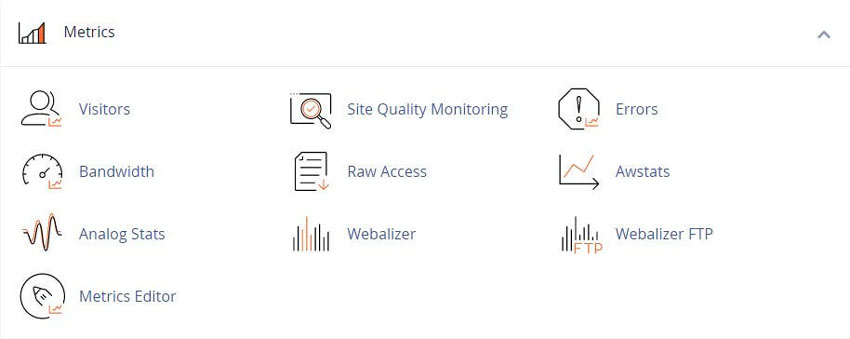
How to View the Error Logs in cPanel
This feature displays up to 300 of the most recent entries in Apaches error logs for your web pages, in reverse chronological order.
For further information see cPanels Documentation Page
Error details
The interface includes entries in the
/usr/local/apache/logs/suexec_log file
And
/usr/local/apache/logs/error_log file
The interface displays error log entries from the user’s home directory. The interface also displays /usr/local/apache/logs/suexec_log file entries that include the username for the account.
The interface scans the most recent 2 MB in each log file. If the server is extremely busy, the portion of the log file that the interface scans may not contain any errors for this site.
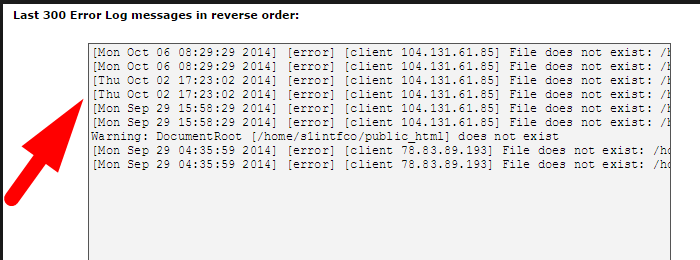
To view older entries, access the individual log files.
The Apache log file records all the requests that Apache handles. Tasks that other services handle may have separate log locations.
Viewing Errors in the cPanel File Manager
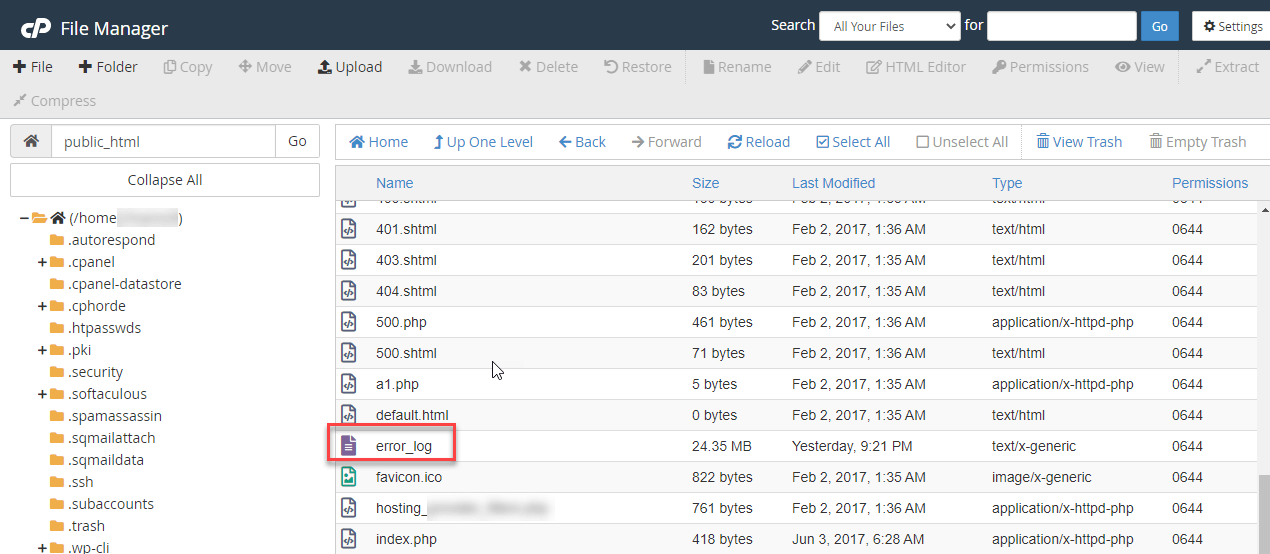
You can see all the errors your website is generating using the cPanel File Manager interface.
2) Click on the File Manager under Files.
3) Move to the /public_html folder, then select and open the "error_log file"
Additional information
The Web Server handles the configuration of the log files. Contact your system administrator to change the level of information in the log files.
Boost support with our WHMCS cPanel Knowledgebase add-on module
Watch our video about cPanel Hosting Services on YouTube
For more information about individual error messages and other configuration options, visit the Apache documentation.
Related cPanel Tutorials and How To Guides
Manage, tweak, and increase the security and performance
Tweet Share Pin Email
Add Comment
This policy contains information about your privacy. By posting, you are declaring that you understand this policy:
- Your name, rating, website address, town, country, state and comment will be publicly displayed if entered.
- Aside from the data entered into these form fields, other stored data about your comment will include:
- Your IP address (not displayed)
- The time/date of your submission (displayed)
- Your email address will not be shared. It is collected for only two reasons:
- Administrative purposes, should a need to contact you arise.
- To inform you of new comments, should you subscribe to receive notifications.
- A cookie may be set on your computer. This is used to remember your inputs. It will expire by itself.
This policy is subject to change at any time and without notice.
These terms and conditions contain rules about posting comments. By submitting a comment, you agree with these rules:
- Although the administrator will attempt to moderate comments, not all comments can be moderated at all times.
- You acknowledge that all comments express the opinions of the original author and not those of the administrator.
- You will not post material which is knowingly false, obscene, hateful, threatening, harassing or invasive of privacy.
- The administrator has the right to edit, move or remove any comment for any reason and without notice.
Failure to comply with these rules may result in being banned from submitting further comments.
These terms and conditions are subject to change at any time and without notice.
 How Do I Get My Local Business Found Online
 The Best URL Structure for SEO
 26 Free or Low Cost Alternatives to Google Analytics GA4
 Common Social Media Marketing Mistakes You Need to Know
Comments