
Security For Devices
In today's interconnected world, where digital devices are an integral part of our daily lives, the threat of malware and phishing attacks looms larger than ever. Malicious actors are constantly evolving their tactics to exploit vulnerabilities and steal sensitive information. Whether you're using a smartphone, a computer, or any other internet-connected device, safeguarding your digital presence is paramount. This guide will explore effective strategies and best practices to protect your devices from malware and phishing attacks. Explore more on our blog index or contact support for help.
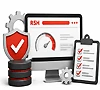

By staying informed about the latest tactics used by cybercriminals, you can effectively fortify your defenses. Implementing robust antivirus software, regularly updating your operating system and applications, and enabling Two-Factor Authentication (2FA) are fundamental steps. Building cybersecurity awareness through resources such as a free AI skills checker can also help users better understand emerging AI-powered threats and strengthen their digital literacy. Vigilance in scrutinizing email attachments and links also plays a crucial role. With these proactive measures, you can significantly reduce the risk of falling victim to malicious attacks, safeguarding both your personal information and digital privacy.
Understanding Malware and Phishing Attacks
Understanding malware and phishing attacks is essential in today's interconnected digital world. These attacks typically arrive via misleading emails, text messages, or fake websites designed to appear genuine. Recognizing the signs and methods of these threats is crucial for implementing effective cybersecurity measures and protecting oneself from potential harm online. See related guides on our blog index.
What Is Malware
Malware refers to malicious software designed to disrupt, damage, or gain unauthorized access to Computer systems or networks. It can take various forms, including viruses, worms, Trojan horses, ransomware, and spyware. Malware typically infects devices through infected email attachments, malicious websites, or compromised software.
What Is Phishing
Phishing is a deceptive technique where cybercriminals impersonate trustworthy entities to trick individuals into revealing sensitive information such as passwords, credit card numbers, or personal details. Typically carried out through emails, text messages, or fake websites, phishing phishing exploits human vulnerability, often creating urgency or fear to prompt quick action. The aim is to deceive recipients into clicking malicious links or downloading harmful attachments, compromising their security. Successful phishing attacks can lead to identity theft, financial losses, or unauthorized access to personal and corporate data. Vigilance, skepticism towards unsolicited communications, and awareness of phishing tactics are crucial in safeguarding against these malicious schemes. Learn more about protecting yourself from phishing.

Best Practices for Protecting Your Devices
Keep Your Software Updated
One of the simplest yet most effective ways to protect your devices is to keep your software updated. This includes your operating system, web browsers, antivirus software, and any other applications you use regularly. Updates often contain security patches that address vulnerabilities exploited by malware and phishing attacks. Check our security guides for more tips.
Use Strong, Unique Passwords
Passwords are the keys to your digital accounts. Use strong passwords that include a combination of letters (both uppercase and lowercase), numbers, and special characters. Avoid using easily guessable information such as birthdays or pet names. Consider using a reputable password manager to generate and store complex passwords securely. See also our strong passwords guide.
Enable Two-Factor Authentication (2FA)
Two-factor authentication adds an extra layer of security by requiring not only a password but also a second form of verification, such as a code sent to your phone. Enable 2FA wherever possible, especially for your email, banking, and social media accounts. This makes it significantly harder for attackers to gain unauthorized access even if they obtain your password. Read more in our 2FA guide.
How to enable Two-factor authentication for the following mobile devices

Be Cautious with Email Attachments and Links
Email remains one of the primary vectors for malware and phishing attacks. Exercise caution when opening email attachments or clicking on links, especially if they are unexpected or from unknown senders. Verify the authenticity of emails by checking the sender's email address and scrutinizing any requests for sensitive information. Review phishing protection tips.
Educate Yourself and Others
Knowledge is a powerful defense against cyber threats. Stay informed about the latest phishing techniques and malware trends. Educate yourself and those around you, such as family members or colleagues, about recognizing suspicious emails, websites, or messages. Awareness can prevent inadvertent actions that could compromise device security. Find more resources on our blog index.
Use Antivirus and Anti-malware Software
Install reputable antivirus and anti-malware software on all your devices and keep it updated. These programs can detect and remove malicious software before it can cause harm. Configure regular scans of your system to ensure early detection of any potential threats.
Secure Your Wi-Fi Network
A secure Wi-Fi network is essential for protecting your devices from external threats. Change the default username and password of your router to a strong, unique combination. Enable encryption such as WPA2 to prevent unauthorized access to your network. Avoid using public Wi-Fi for sensitive transactions unless you are using a VPN (Virtual Private Network) for added security. See our home Wi-Fi security guide.

Backup Your Data Regularly
Regularly backing up your data is crucial in case of a malware attack or ransomware infection. Use both local and cloud-based backup solutions to ensure redundancy. In the event of a cyber incident, you can restore your data without paying a ransom or losing valuable information. Contact support for backup advice.
Secure Your Mobile Devices
Mobile devices are just as vulnerable to malware and phishing attacks as computers. Install security apps specifically designed for mobile devices and keep your operating system and apps updated. Be cautious when downloading apps, and only install them from reputable app stores. Check our mobile device security tips.
Stay Vigilant and Report Suspicious Activity
Remain vigilant while using your devices, especially when accessing sensitive information or conducting financial transactions online. Report any suspicious activity, such as unrecognized charges or unexpected password reset requests to the relevant service providers immediately.
Threats and Recommended Protections
| Threat | Key Protections |
|---|---|
| Malware (viruses, worms, Trojans, ransomware, spyware) | Software updates, antivirus/anti-malware, cautious downloads and email |
| Phishing | Email caution, education, strong passwords + 2FA, verify sites |
| Unauthorized access | Strong unique passwords, 2FA, secure Wi-Fi |
| Data loss from infection | Regular backups (local and cloud) |
Frequently Asked Questions
What is the difference between malware and phishing?
Malware is malicious software such as viruses, worms, Trojans, ransomware, or spyware that disrupts or gains unauthorized access to systems. Phishing is a deceptive technique using emails, texts, or fake websites to trick people into revealing sensitive information. Both are covered in this guide. See more on our blog index.
How can I protect my devices from phishing attacks?
Be cautious with email attachments and links, verify senders, enable two-factor authentication, use strong passwords, and educate yourself on tactics. Report suspicious activity immediately. Review our phishing protection guide and contact support if needed.
What are the most important steps to prevent malware infections?
Keep software updated, install and update antivirus/anti-malware software, use strong unique passwords, enable 2FA, be cautious with downloads and emails, and maintain regular backups. Explore related topics on our blog index.
Is antivirus software enough to protect against malware and phishing?
Antivirus helps detect and remove malware but is not enough alone. Combine it with software updates, strong passwords, 2FA, email caution, Wi-Fi security, and user education for layered protection as outlined in the best practices.
Why is two-factor authentication important?
2FA adds a second verification step beyond the password, making unauthorized access much harder even if the password is compromised. Enable it especially for email, banking, and social accounts. See our 2FA guide.
Summary
Protecting your devices from malware and phishing attacks requires a proactive approach and a combination of technological tools, best practices, and user education. By implementing the strategies outlined in this guide, such as keeping software updated, using strong passwords, enabling two-factor authentication, and staying informed about emerging threats, you can significantly enhance the security of your digital devices and reduce the risk of falling victim to cyber attacks. Remember Cybersecurity is an ongoing effort. Continuously assess and improve your Security Measures to adapt to evolving threats in the digital landscape. By prioritizing device security and adopting a cautious mindset, you can safeguard your personal and sensitive information from malicious actors seeking to exploit vulnerabilities in your digital defenses. Visit our blog index for more guides or contact support.
Author Bio: William Flanagan
A professional with extensive international copy-writing experience, specializing in crafting compelling content for various industries. As a skilled presentation coach, he has helped numerous...
Add Comment
This policy contains information about your privacy. By posting, you are declaring that you understand this policy:
- Your name, rating, website address, town, country, state and comment will be publicly displayed if entered.
- Aside from the data entered into these form fields, other stored data about your comment will include:
- Your IP address (not displayed)
- The time/date of your submission (displayed)
- Your email address will not be shared. It is collected for only two reasons:
- Administrative purposes, should a need to contact you arise.
- To inform you of new comments, should you subscribe to receive notifications.
- A cookie may be set on your computer. This is used to remember your inputs. It will expire by itself.
This policy is subject to change at any time and without notice.
These terms and conditions contain rules about posting comments. By submitting a comment, you agree with these rules:
- Although the administrator will attempt to moderate comments, not all comments can be moderated at all times.
- You acknowledge that all comments express the opinions of the original author and not those of the administrator.
- You will not post material which is knowingly false, obscene, hateful, threatening, harassing or invasive of privacy.
- The administrator has the right to edit, move or remove any comment for any reason and without notice.
Failure to comply with these rules may result in being banned from submitting further comments.
These terms and conditions are subject to change at any time and without notice.
Tweet Share Pin Email
Crafted by our talented master copywriters
 What is Java - Do I Need it?
 What Is Joomla: With Features, Templates, and Extensions
 The Best PHP Resources and Tools
 Protecting Your Devices from Malware and Phishing Attacks
Offering cPanel, Free SSL (HTTPS) Certificate, Free Domain Name and Domain Private Registration
Comments