
cPanel - Preferences - Change Language
This feature allows you to choose the view in cPanel to 4 different languages, English, Spanish, German, Russian. There is a wide selection of other languages available if you prefer to use an alternative language.
When you change cPanel's interface language the system will set a cookie in your Browser that expires in one year.
You must perform this step each time that you log in to webmail from a new browser, whenever you delete cookies, and after the cookie expires.
There is also an option to change the log in interface locale for cPanel, WHM, or Webmail during the log in process, which will change the default language for the interface
Changing The Language
To change the language for cPanel.
Under the Preferences section
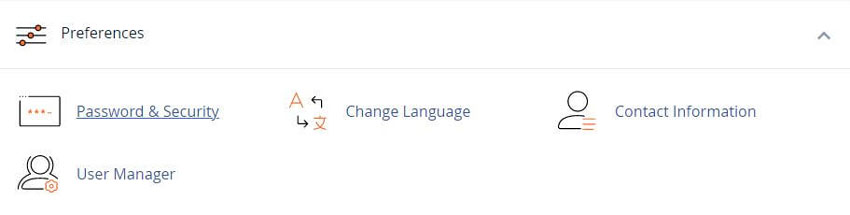
To change your cPanel interface’s language, perform the following steps:
- 1) Select the language that you wish to use from the Select a language menu.
- 2) Click Change. The interface will refresh in the newly-selected language.
- 3) You should now see the selected language
Note: If your browser’s Accept-Language header is set, the login interface will attempt to display the locale that corresponds to your browser setting. If the locale that the browser’s header requests is not available, the login interface will appear in English.
Supported languages
We have deprecated and removed our legacy locales. To reinstate partial language support, use the files the our github.com locale repository.
Your hosting provider can make them available.
To upload any language files found here, perform the steps in our Locale XML Upload documentation.
If you do not see your language of choice? Take cPanel's Language Support Feedback Survey to let them know your preferences.
YouTube Video - cPanel Tutorials - Change Language
cPanel Learning Resources and How-To Instructions
Industry leading Linux-based website hosting control panel
Tweet Share Pin Email
Add Comment
This policy contains information about your privacy. By posting, you are declaring that you understand this policy:
- Your name, rating, website address, town, country, state and comment will be publicly displayed if entered.
- Aside from the data entered into these form fields, other stored data about your comment will include:
- Your IP address (not displayed)
- The time/date of your submission (displayed)
- Your email address will not be shared. It is collected for only two reasons:
- Administrative purposes, should a need to contact you arise.
- To inform you of new comments, should you subscribe to receive notifications.
- A cookie may be set on your computer. This is used to remember your inputs. It will expire by itself.
This policy is subject to change at any time and without notice.
These terms and conditions contain rules about posting comments. By submitting a comment, you agree with these rules:
- Although the administrator will attempt to moderate comments, not all comments can be moderated at all times.
- You acknowledge that all comments express the opinions of the original author and not those of the administrator.
- You will not post material which is knowingly false, obscene, hateful, threatening, harassing or invasive of privacy.
- The administrator has the right to edit, move or remove any comment for any reason and without notice.
Failure to comply with these rules may result in being banned from submitting further comments.
These terms and conditions are subject to change at any time and without notice.
 Free Domain Names With All Hosting Accounts
 Index of Featured Blogs and Articles
 RSH Web Services: Where Excellence in Hosting Begins
 Key Features of Our Reliable and Affordable Hosting
Comments