
cPanel - Software - Site Software
Overview
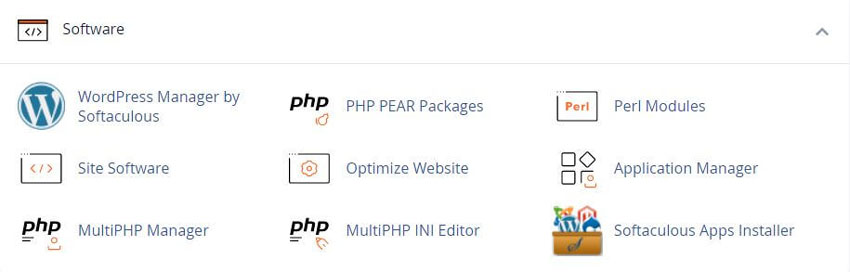
This interface allows you to add, manage, upgrade, and remove cPanel Addons (cPAddons).
cPAddon software packages add useful functions to your website.
For example, cPAddons can run blogs, bulletin boards, ecommerce software, guest books, and other services.
Important: We have deprecated this interface. For more information, read our cPanel Deprecation Plan documentation.
This feature only appears if your hosting providers enables it.
cPanel does not develop or maintain the cPAddon software packages (for example, WordPress). We only include these packages in cPanel & WHM to facilitate distribution and installation.
For assistance with a cPAddon, contact your hosting provider or the software developer.
See our WHMCS cPanel Knowledgebase add-on module for Hosting Companies
Related cPanel Tutorials and How To Guides
Tips and tricks on how to better optimize your cPanel
Tweet Share Pin Email
Add Comment
This policy contains information about your privacy. By posting, you are declaring that you understand this policy:
- Your name, rating, website address, town, country, state and comment will be publicly displayed if entered.
- Aside from the data entered into these form fields, other stored data about your comment will include:
- Your IP address (not displayed)
- The time/date of your submission (displayed)
- Your email address will not be shared. It is collected for only two reasons:
- Administrative purposes, should a need to contact you arise.
- To inform you of new comments, should you subscribe to receive notifications.
- A cookie may be set on your computer. This is used to remember your inputs. It will expire by itself.
This policy is subject to change at any time and without notice.
These terms and conditions contain rules about posting comments. By submitting a comment, you agree with these rules:
- Although the administrator will attempt to moderate comments, not all comments can be moderated at all times.
- You acknowledge that all comments express the opinions of the original author and not those of the administrator.
- You will not post material which is knowingly false, obscene, hateful, threatening, harassing or invasive of privacy.
- The administrator has the right to edit, move or remove any comment for any reason and without notice.
Failure to comply with these rules may result in being banned from submitting further comments.
These terms and conditions are subject to change at any time and without notice.
 Has my Laptop Camera been Hacked
 Can Someone Hack my Smartphone
 Mobile Device Security Tips for Your Business
 How Ad Systems on Your Phone Might Be Spying on You
Comments (1)
nice cPanel tutorials, thanks RSH Web
Your very welcome!