
cPanel - Domains - Redirects
This interface (also referred to as URL Forwarding) is a technique which is used to redirect your domain's visitors to a different domain name or a specific web page.
Setting up a 301 Domain Name or Website Redirect with cPanel
Creating a redirect for your Website in cPanel is fairly easy
First log in to your cPanel
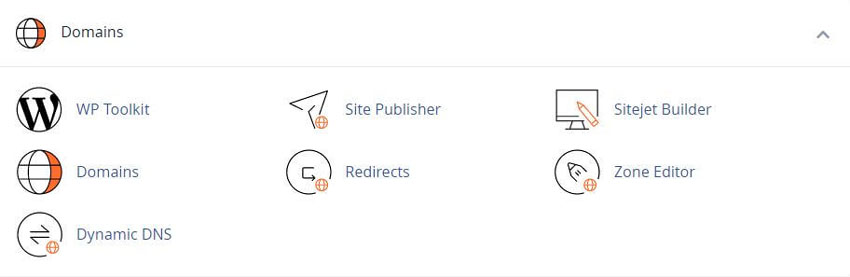
Next, navigate to the Domains section and click on Redirects option:
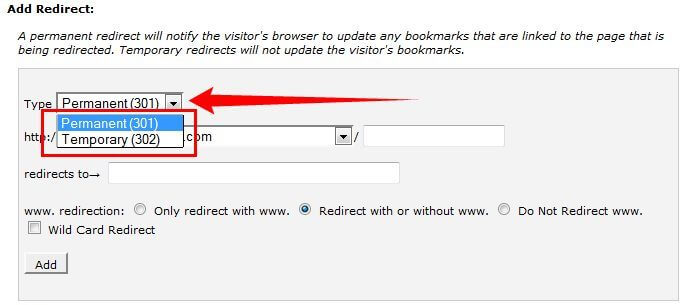
Choose the type of redirect you would like to use for your domain
Permanent (301) - this redirect will update the visitors bookmarks and direct search engines to the new site
Temporary (302) - it will redirect the visitor or search engine, but will not update the bookmark and the search engine will continue to index to the original page
Note: 301 redirects are permanent. They mean that the page has moved, and they request any search engine or user agent coming to the page to update the URL in their database.
This is the most common type of redirect that people should use. If you set up 302 redirects, Google and other sites that determine popularity ratings assume that the link is eventually going to be removed. After all, it's a temporary redirect. So the new page doesn't have any of the link popularity associated with the old page. It has to generate that popularity on its own
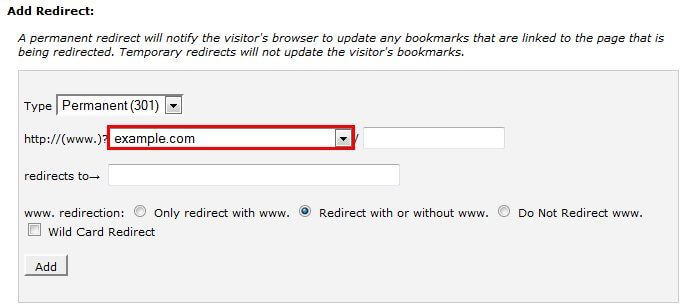
Choose the domain name you would like to redirect, from a drop-down menu:
If you want to redirect a single page or directory, you can use the text field following the drop-down menu and enter the name of the folder or file
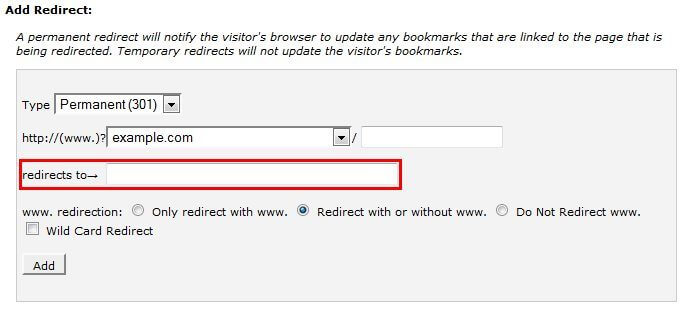
Now Enter the full URL of the page your domain will be redirecting to in the "redirects to ->" field
Note: You need to enter the protocol as well, e.g. http://, https://
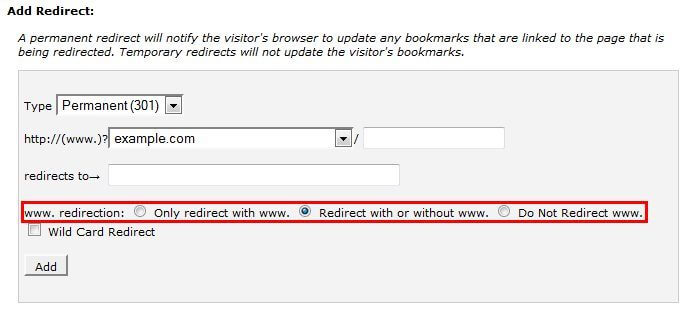
Next, Select if you want your domain to redirect with www. or not
"Only redirect with www." : the redirect will work if only visitors are using www. as a part of the URL
"Redirect with or without www." : the redirect will work regardless of using www. as a part of URL or not
"Do Not Redirect www." : the redirect will not work if visitors are using www. as a part of URL
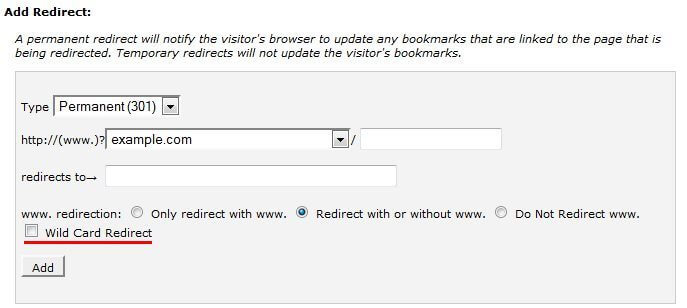
Check-mark "Wild Card Redirect" if you would like all files in the current directory to be redirected to the same files names in the new directory.:
Example: if example.com redirects to example-test.com then:
with "Wild Card Redirect" - example.com/test/ redirects to example-test.com/test/
without "Wild Card Redirect" - example.com/test/ redirects to example-test.com
Click on the "Add" button in order to create the redirect
How to set up URL Frame in cPanel
The URL Frame Redirect is similar to URL redirect. The difference is the web page gets fetched and is displayed in a frame. The address bar of the browser will continue displaying your domain name
Related cPanel Tutorials and How To Guides
Wide range of key features crucial for website management
Tweet Share Pin Email
Add Comment
This policy contains information about your privacy. By posting, you are declaring that you understand this policy:
- Your name, rating, website address, town, country, state and comment will be publicly displayed if entered.
- Aside from the data entered into these form fields, other stored data about your comment will include:
- Your IP address (not displayed)
- The time/date of your submission (displayed)
- Your email address will not be shared. It is collected for only two reasons:
- Administrative purposes, should a need to contact you arise.
- To inform you of new comments, should you subscribe to receive notifications.
- A cookie may be set on your computer. This is used to remember your inputs. It will expire by itself.
This policy is subject to change at any time and without notice.
These terms and conditions contain rules about posting comments. By submitting a comment, you agree with these rules:
- Although the administrator will attempt to moderate comments, not all comments can be moderated at all times.
- You acknowledge that all comments express the opinions of the original author and not those of the administrator.
- You will not post material which is knowingly false, obscene, hateful, threatening, harassing or invasive of privacy.
- The administrator has the right to edit, move or remove any comment for any reason and without notice.
Failure to comply with these rules may result in being banned from submitting further comments.
These terms and conditions are subject to change at any time and without notice.
 How the Internet Works
  How IP Addresses
 How Wi-Fi Works
 Node.js Resources
Comments