
cPanel - Security - ModSecurity
We deprecated this interface in cPanel & WHM version 100, and we removed this interface in version 106.
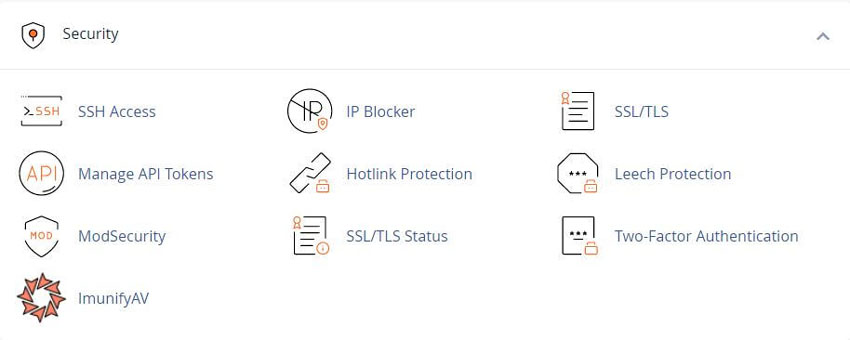
A web application firewall that monitors and blocks malicious connections that are similar to DDoSAttacks.
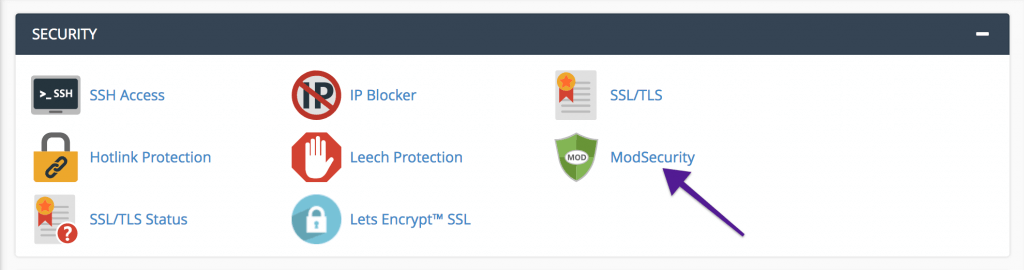
ModSecurity In cPanel
cPanel & WHM includes many features that help web hosts and site administrators to repel bad bots, including the ModSecurity web application firewall (WAF).
Automated attack bots bombard web apps with malicious requests as soon they go online.
Attackers target every website and ecommerce store eventually, hoping to find a vulnerability they can exploit to inject code, misuse resources, or steal data.
In 2019, bad bots generated a quarter of all web traffic.
cPanel & WHM has supported ModSecurity 2 for many years, and in cPanel 92, we introduced support for ModSecurity 3.
It should be emphasized that ModSecurity 3 support is experimental, but it offers a couple of significant advantages:
ModSecurity 3 is faster than earlier versions.
It does not depend on Apache and can be used with other web servers, including NGINX.
What Is Apache ModSecurity
ModSecurity is a web application firewall.
It monitors incoming web traffic for threats in real-time, blocking malicious connections before they reach applications.
ModSecurity is a rule-based firewall; it compares requests to a list of rules, looking for patterns that match attacks such as SQL injection, session hijacking, cross-site scripting, and more.
With cPanel & WHM, it’s straightforward to install and manage ModSecurity 3, a fast, powerful web application firewall that protects applications from a huge range of attacks and vulnerabilities.
YouTube Video Tutorials - cPanel ModSecurity
The "cPanel ModSecurity" YouTube video tutorials guide users through the setup and management of ModSecurity, a web application firewall. Viewers learn to enable rules, monitor logs, and configure settings to protect their websites from threats. These insights help enhance security, making websites safer from attacks and vulnerabilities.
For any feedback or comments, cPanel is aways here to help in the best ways they can.
You can find them on Discord, the cPanel forums, and Reddit.
cPanel Help Guides and Step-by-Step Tutorials
Regular updates, maintenance improvements and security measures
Tweet Share Pin Email
Add Comment
This policy contains information about your privacy. By posting, you are declaring that you understand this policy:
- Your name, rating, website address, town, country, state and comment will be publicly displayed if entered.
- Aside from the data entered into these form fields, other stored data about your comment will include:
- Your IP address (not displayed)
- The time/date of your submission (displayed)
- Your email address will not be shared. It is collected for only two reasons:
- Administrative purposes, should a need to contact you arise.
- To inform you of new comments, should you subscribe to receive notifications.
- A cookie may be set on your computer. This is used to remember your inputs. It will expire by itself.
This policy is subject to change at any time and without notice.
These terms and conditions contain rules about posting comments. By submitting a comment, you agree with these rules:
- Although the administrator will attempt to moderate comments, not all comments can be moderated at all times.
- You acknowledge that all comments express the opinions of the original author and not those of the administrator.
- You will not post material which is knowingly false, obscene, hateful, threatening, harassing or invasive of privacy.
- The administrator has the right to edit, move or remove any comment for any reason and without notice.
Failure to comply with these rules may result in being banned from submitting further comments.
These terms and conditions are subject to change at any time and without notice.
 AI SEO Tools That Help
 AI Tools For Website Hosting
 Why Website Design Matters
 AI Content Creation
Comments