cPanel - Software - Multi PHP INI Editor
Php.ini is a configuration file that, through some directives, allows you to manage important variables for the functioning of applications written in PHP. Through this file it is possible to edit some configuration parameters, such as the file loading size and the resource limits.
The MultiPHP INI Editor
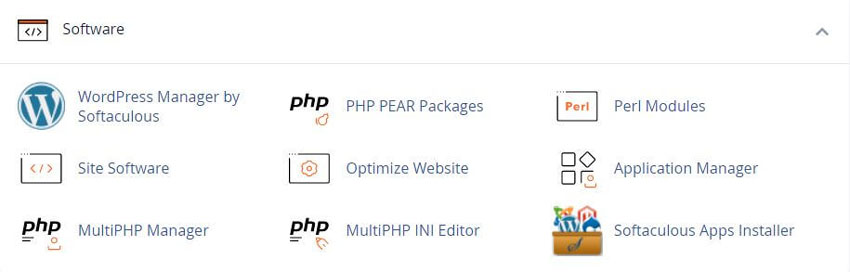
The Editor menu displays a list of available domain document roots, or you may choose the hosting accounts "Home Directory".
Select the location that you want to configure from the menu.
If you want to apply changes to any site under this cPanel user, edit the "home" directory. If you’re going to apply changes only to a specific domain name, edit the document root instead.
The PHP directives will show after selecting.
Basic Mode
The Basic Mode section of this interface loads directive values from the php.ini file for your selected domain or home directory. Make your changes to the desired directives and click Apply. The system saves changes to the php.ini file, the user.ini file, and your .htaccess file.
If using the DSO PHP handler and you change your PHP version to a different major PHP version, the system will not read your configuration changes. cPanel does not support the DSO PHP handler with PHP 8.0 and higher
For example, if you change your PHP version from PHP 5 to PHP 7, the system will not read your configuration changes.
To correct this issue, you must edit and save your PHP configuration again in the interface.
The system will then load the .htaccess directives correctly.
For security purposes, we strongly recommend that you use the cPanel-provided default values.
The availability of directives depends on your version of PHP. If a directive does not appear in your interface, your version of PHP does not support it.
The system only writes a directive to an .ini or .htaccess file if that file supports the directive. Your php.ini, .user.ini, and .htaccess files may not be identical. For more information about which files support which directives, read PHP’s documentation.
Editor Mode
Select the location that you wish to configure from the menu. You can edit either the user account’s home directory or the domain’s document root. If you want changes made to reflect on any website under this cPanel user, edit the home directory. If you want changes to only apply to a specific domain, edit the domain’s document root instead. The PHP directives will appear after selecting.
Use extreme caution when you make changes in this interface. Errors could result in non-functional PHP scripts. Only advanced users should use this interface.
We restrict the following words and you cannot use them as directives: null, yes, no, true, false, on, off, and none. Directives also cannot contain any the following special characters: ?{}|&~![()^"
The following values set the directive value to "": null, off, no, and false.
The following values set the directive value to 1: on, yes, and true.
The Editor Mode section of this interface loads the contents of the php.ini file for your selected domain, if it exists. If the php.ini file does not exist, the interface loads a blank editor so that you can create your own file. Make your changes to the desired directives and click Save.
The system saves changes to both the php.ini file in the Path section of the interface and the .user.ini file. The system also saves these changes to your .htaccess file.
To ensure compatibility with the LSAPI module, the system also adds an LSAPI section to your .htaccess file. This section might resemble the following example:
1 < IfModule lsapi_module>
2 php_value date.timezone "America/Chicago"
3 php_value memory_limit 128M
4 php_value upload_max_filesize 60M
5 < /IfModule>
For example, the location of your file may be the /home/allthethings/public_html/php.ini file. The interface attempts a rudimentary validation of directive names.
This does not guarantee that your PHP configuration will function. To reset your PHP settings to default values, delete the domain’s or home directory’s php.ini file.
If you use the DSO PHP handler, the system will not read your configuration changes if you change your PHP version to a different major PHP version. cPanel does not support the DSO PHP handler with PHP 8.0 and higher.
For example, if you change your PHP version from PHP 5 to PHP 7, the system will not read your configuration changes.
To correct this issue, you must edit and save your PHP configuration again in the interface. The system will then load the .htaccess directives correctly.
The system only writes a directive to an .ini or .htaccess file if that file supports the directive.
Your php.ini, .user.ini, and .htaccess files may not be identical. For more information about which files support which directives, see the PHP documentation pages.
For more information about a directive, search the php.net documentation website.
YouTube Video - MultiPHP INI Editor
cPanel Help Guides and Step-by-Step Tutorials
Regular updates, maintenance improvements and security measures
Tweet Share Pin Email
Add Comment
This policy contains information about your privacy. By posting, you are declaring that you understand this policy:
- Your name, rating, website address, town, country, state and comment will be publicly displayed if entered.
- Aside from the data entered into these form fields, other stored data about your comment will include:
- Your IP address (not displayed)
- The time/date of your submission (displayed)
- Your email address will not be shared. It is collected for only two reasons:
- Administrative purposes, should a need to contact you arise.
- To inform you of new comments, should you subscribe to receive notifications.
- A cookie may be set on your computer. This is used to remember your inputs. It will expire by itself.
This policy is subject to change at any time and without notice.
These terms and conditions contain rules about posting comments. By submitting a comment, you are declaring that you agree with these rules:
- Although the administrator will attempt to moderate comments, it is impossible for every comment to have been moderated at any given time.
- You acknowledge that all comments express the views and opinions of the original author and not those of the administrator.
- You agree not to post any material which is knowingly false, obscene, hateful, threatening, harassing or invasive of a person's privacy.
- The administrator has the right to edit, move or remove any comment for any reason and without notice.
Failure to comply with these rules may result in being banned from submitting further comments.
These terms and conditions are subject to change at any time and without notice.
Small Business Web Transformation Tactics for Challenging Times
How to Avoid being Blacklisted by the Search Engines
Best Ways to Boost Your Website Ranking and Credibility
Risks and Hazards of Using Gmail For Your Business
Comments