
cPanel - Metrics - Visitors
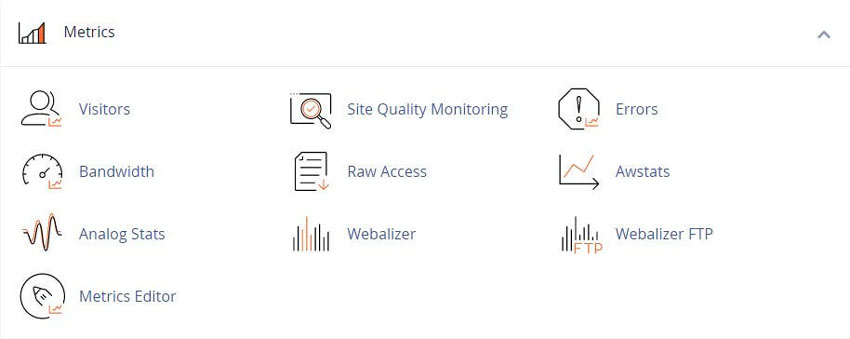
This interface displays detailed information about recent visits to your website. It can generate a wide variety of traffic reports. Knowing the visitors and statistics can be helpful. It can be useful for validating your website and testing the progress or results of any changes made to your website. It will help you locate and fix Errors, such as missing pages or broken links.
Apache®
If your server runs Apache®, this interface displays entries from the following files, where "domainname" represents your actual domain name:
SSL - /var/log/apache2/domlogs/
Non-SSL - /usr/local/apache/domlogs/domainname
NGINX®
If your server runs NGINX®, this interface displays entries from one of the following files, where "domainname" represents the domain:
Piped logging is enabled - The pipe logging feature displays entries from one of the following files, depending on whether SSL is enabled or not:
SSL - /var/log/nginx/domains/domainname-ssl_log
Non-SSL - /var/log/nginx/domains/domainname
Piped logging is not enabled - /var/log/nginx/domains/domainname
Logs for Apache will not appear when NGINX is enabled, and vice versa. For more information, read our NGINX with Reverse Proxy documentation.
View latest Visitor details
To view your latest visitor details, click the magnifying glass icon (magnifying glass icon) for that domain.
By default, the interface displays the following information:
URL - The specific URL that the visitor accessed.
Time - The time when the visitor accessed your website.
Size (bytes) - The amount of data that the server sent to the visitor for this resource.
Referring URL - The web address from which the visitor navigated to the resource.
User Agent - The browser that the visitor used to access your website.
Additional data
Click the gear icon (top right) to choose to display the following additional data:
Status - The HTTP code indicates whether the resource loaded successfully or resulted in an error.
Method - The request-response between the client and server (for example, GET or POST).
Protocol - The version of HTTP that the server used to serve the resource to the visitor (for example, 1.1).
To search for additional records, enter your search criteria in the Search text box.
Listing Softaculous Apps Collection More than 30 scripts from Form Tools and chat to genealogy or finances and more
cPanel Help Guides and Step-by-Step Tutorials
Regular updates, maintenance improvements and security measures
Tweet Share Pin Email
Add Comment
This policy contains information about your privacy. By posting, you are declaring that you understand this policy:
- Your name, rating, website address, town, country, state and comment will be publicly displayed if entered.
- Aside from the data entered into these form fields, other stored data about your comment will include:
- Your IP address (not displayed)
- The time/date of your submission (displayed)
- Your email address will not be shared. It is collected for only two reasons:
- Administrative purposes, should a need to contact you arise.
- To inform you of new comments, should you subscribe to receive notifications.
- A cookie may be set on your computer. This is used to remember your inputs. It will expire by itself.
This policy is subject to change at any time and without notice.
These terms and conditions contain rules about posting comments. By submitting a comment, you agree with these rules:
- Although the administrator will attempt to moderate comments, not all comments can be moderated at all times.
- You acknowledge that all comments express the opinions of the original author and not those of the administrator.
- You will not post material which is knowingly false, obscene, hateful, threatening, harassing or invasive of privacy.
- The administrator has the right to edit, move or remove any comment for any reason and without notice.
Failure to comply with these rules may result in being banned from submitting further comments.
These terms and conditions are subject to change at any time and without notice.
 What Is an SSL Certificate? How It Works & Why It Matters
 Why You Should Make The Switch to HTTPS
 The Different SSL Security Certificates
 Protecting Your Website From Cyberattacks
Comments