
cPanel - Software - Perl Modules
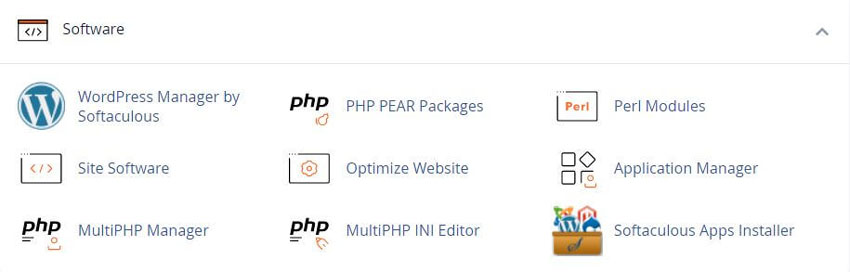
This feature will allow you to search for and install Perl modules from the CPAN repository to your hosting account
Notice: The CGI Center, along with the associated CGI Scripts, was deprecated in cPanel v64
What Is Perl
Perl is a high level interpreted and dynamic general purpose programming language. Perl supports both the procedural and Object-Oriented programming. Perl is a lot similar to C syntactically and is easy for the users who have knowledge of C, C++. Since Perl is a lot similar to other widely used languages syntactically, it is easier to code and learn in Perl. Programs can be written in Perl in any of the widely used text editors like Notepad++, texteditor, etc.
Module Include Path
The Module Include Path section of the interface displays the location where the system will store your modules. If you wish to reference those modules from other modules or programs, use this include path.
Using Your Perl Module
The Using Your Perl Module(s) section of the interface lists a choice of code that you must include in the top of your Perl script. This code represents the location of Perl that the system will use to run the script.
Install Perl module
To install a Perl module, perform one of the following actions:
If you know the name of the desired module, enter it in the Install a Module text box and click Install Now.
Enter a search term in the Search text box and click Go. The interface will display modules related to that search term.
Click Show Available Modules to display a list of available Perl modules at the CPAN repository.
Note: The interface will not display every module available at CPAN.
The interface displays the following information for the modules:
Module - Name The module’s name.
Version - The module’s version number.
Actions - The actions that you may perform for that module. For each module, you can perform the following actions:
Note: If you did not find the desired module, repeat this process until you locate the appropriate module.
The Installed Modules table
The Installed Modules table displays all of the modules that exist on your cPanel account.
For each installed module, the table displays the following information:
Module - Name The module’s name.
Version - The module’s version number.
Actions - The actions that you may perform for that module.
For each module, you can perform the following actions:
Update - Update the module.
Reinstall - Reinstall the module from CPAN.
Uninstall - Remove the module from your server.
Show Documentation - Read the module’s documentation on CPAN.
System modules
cPanel and WHM includes specific Perl modules.
To display a list of the system-installed Perl modules, click Show System Installed Modules.
For more information on Perl modules, see Guide to Perl in cPanel & WHM and Third-Party Software documentation.
Related cPanel Tutorials and How To Guides
Simple to use hosting dashboard fix website issues yourself
Tweet Share Pin Email
Add Comment
This policy contains information about your privacy. By posting, you are declaring that you understand this policy:
- Your name, rating, website address, town, country, state and comment will be publicly displayed if entered.
- Aside from the data entered into these form fields, other stored data about your comment will include:
- Your IP address (not displayed)
- The time/date of your submission (displayed)
- Your email address will not be shared. It is collected for only two reasons:
- Administrative purposes, should a need to contact you arise.
- To inform you of new comments, should you subscribe to receive notifications.
- A cookie may be set on your computer. This is used to remember your inputs. It will expire by itself.
This policy is subject to change at any time and without notice.
These terms and conditions contain rules about posting comments. By submitting a comment, you agree with these rules:
- Although the administrator will attempt to moderate comments, not all comments can be moderated at all times.
- You acknowledge that all comments express the opinions of the original author and not those of the administrator.
- You will not post material which is knowingly false, obscene, hateful, threatening, harassing or invasive of privacy.
- The administrator has the right to edit, move or remove any comment for any reason and without notice.
Failure to comply with these rules may result in being banned from submitting further comments.
These terms and conditions are subject to change at any time and without notice.
 Outstanding Ideas for Powerful Website Content
 AI Tools Comparison, Choosing the Right One
 What is the Difference Between Godaddy and Wordpress
 What is the Difference Between cPanel and Plesk
Comments