
cPanel - Security - Hotlink Protection
Hotlinking is known as the act of stealing someone's bandwidth by linking directly to your website content such as images or videos. This is sometimes referred to as Bandwidth Theft. This will use your Bandwidth to serve your files. Which may put you over your traffic quota with your hosting provider
Hotlinking can be useful for one sharing files, but it also may cause troubles for the owner of the content. Such actions can qualified as a copyright infringement, since images are displayed with no information from the author.
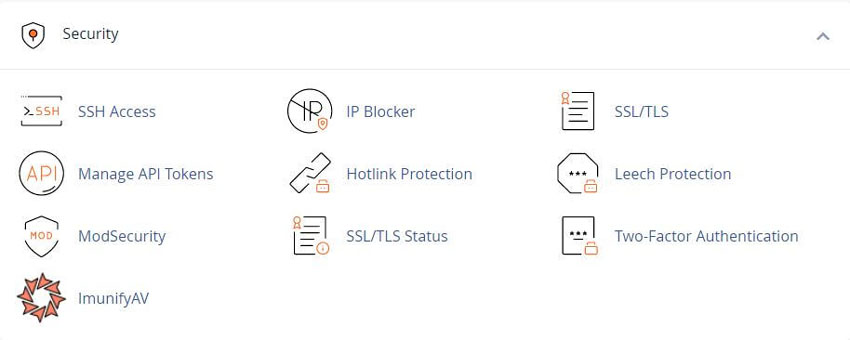
Notes: When you disable hotlinks, make certain that you allow hotlinks for any necessary domains. For example, your website’s Subdomains and the URL that you use to access your cPanel account.
The URL for accessing your cPanel account should appear in the List the URLs to which you wish to allow access menu. If it doesn’t, you may not see embedded images in the HTML Editor section of the File Manager interface
cPanel » Home » Files » File Manager
Enable hotlink protection
To enable hotlink protection, perform the following steps:
1) Click Enable. A new interface will open and display the Allowed referrers and Protected extension lists
2) Click Go back.
To allow specific sites to hotlink to your site, add their URL in the URLs to allow access menu.
To block direct access to files of specific types, add those file extensions to the Block direct access for the following extensions text box.
For example, to block all .jpg images, add .jpg to the Block direct access for the following extensions text box.
When you block these file types, others cannot hotlink to those types of files from your website, regardless of any other settings.
To allow Visitors access to specific content through the URL, select the Allow direct requests checkbox. For example, if you enable this setting, a visitor could enter
http://www.example.com/folder/example.jpg
As a URL to access the example.jpg file.
To redirect requests for certain content, enter the URL to which you want to redirect your visitor in the Redirect the request to the following URL text box.
Click Submit.
Disable hotlink protection
To disable hotlink protection, click Disable.
Note: When you click Disable, the system deletes the entries in the List of the URLs to which you wish to allow access list.
We strongly recommend that you save the list locally before you disable hotlink protection.
Enhance your cPanel support with our WHMCS cPanel Knowledgebase add-on modal
Related cPanel Tutorials and How To Guides
A huge volume of features and customization that is available with cPanel
Tweet Share Pin Email
Add Comment
This policy contains information about your privacy. By posting, you are declaring that you understand this policy:
- Your name, rating, website address, town, country, state and comment will be publicly displayed if entered.
- Aside from the data entered into these form fields, other stored data about your comment will include:
- Your IP address (not displayed)
- The time/date of your submission (displayed)
- Your email address will not be shared. It is collected for only two reasons:
- Administrative purposes, should a need to contact you arise.
- To inform you of new comments, should you subscribe to receive notifications.
- A cookie may be set on your computer. This is used to remember your inputs. It will expire by itself.
This policy is subject to change at any time and without notice.
These terms and conditions contain rules about posting comments. By submitting a comment, you agree with these rules:
- Although the administrator will attempt to moderate comments, not all comments can be moderated at all times.
- You acknowledge that all comments express the opinions of the original author and not those of the administrator.
- You will not post material which is knowingly false, obscene, hateful, threatening, harassing or invasive of privacy.
- The administrator has the right to edit, move or remove any comment for any reason and without notice.
Failure to comply with these rules may result in being banned from submitting further comments.
These terms and conditions are subject to change at any time and without notice.
 How Do I Transfer My Domain Name
 Essential Customer Support Software
 What are The Best Self-Hosted Wiki Programs
 What Is FTP or SFTP - How Do I Use It?
Comments