
cPanel - Preferences - Contact Information
Use this interface to store contact information for your cPanel account and to set your contact preferences..
Changing your Contact Information
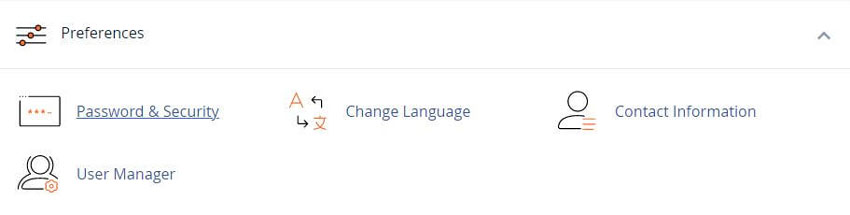
Important: You will only see this interface if your hosting provider enables the related features.
To change your contact information, perform the following steps:
- 1) Enter the desired contact information in the text boxes
- 2) Select your desired notification settings in the Contact Preferences section.
- 3) Select your desired AutoSSL notifications setting in the AutoSSL Notifications section.
- 4) Click Save.
Contact Preferences
You can select the following settings in the Contact Preferences section of the interface:
- • My contact email address changes. The system will notify you at your current and previous contact email addresses
- • My preference for contact email address change notifications is disabled
- • My account approaches its disk quota
- • My account approaches its bandwidth usage limit
- • SSL certificate expiry. The system will notify you if a non-AutoSSL certificate will expire soon
- • Any of my account’s Email Accounts approaches or is over quota
- • My account’s password changes. The system will notify you when the password changes because of a user request
- • My preference for account password change notifications is disabled
- • An external account links to my account for authentication
- • My preference for external account link notifications is disabled
Note: If your website reaches its maximum amount of disk space, you cannot modify existing files or add new files to your website.
To resolve this issue, delete old or unused files, delete old email, or upgrade your hosting plan
YouTube Video - cPanel Tutorials - Contact Information
Related cPanel Tutorials and How To Guides
Tips and tricks that will make managing your website easier
Tweet Share Pin Email
Add Comment
This policy contains information about your privacy. By posting, you are declaring that you understand this policy:
- Your name, rating, website address, town, country, state and comment will be publicly displayed if entered.
- Aside from the data entered into these form fields, other stored data about your comment will include:
- Your IP address (not displayed)
- The time/date of your submission (displayed)
- Your email address will not be shared. It is collected for only two reasons:
- Administrative purposes, should a need to contact you arise.
- To inform you of new comments, should you subscribe to receive notifications.
- A cookie may be set on your computer. This is used to remember your inputs. It will expire by itself.
This policy is subject to change at any time and without notice.
These terms and conditions contain rules about posting comments. By submitting a comment, you agree with these rules:
- Although the administrator will attempt to moderate comments, not all comments can be moderated at all times.
- You acknowledge that all comments express the opinions of the original author and not those of the administrator.
- You will not post material which is knowingly false, obscene, hateful, threatening, harassing or invasive of privacy.
- The administrator has the right to edit, move or remove any comment for any reason and without notice.
Failure to comply with these rules may result in being banned from submitting further comments.
These terms and conditions are subject to change at any time and without notice.
 How to make Facebook and Social Media Profiles Private
 Using a VPN While Traveling
 Data Shadows: Understanding and Managing Your Digital Footprint
 Safe Surfing Tips and Unsafe Browsing Habits
Comments