
cPanel - Email - Calendar & Contact Management
The Calendars and Contacts Management interface provides a centralized location for managing your personal and shared organizational tools. Through this interface, you can:
View existing calendars, address books, and task lists to stay organized and up-to-date.
Create new calendars for events, address books for contacts, or task lists to track to-dos and deadlines.
Delete items you no longer need, keeping your workspace clean and relevant.
Rename collections to better reflect their purpose or contents, making them easier to identify.
This intuitive interface streamlines the management of your digital scheduling and communication resources, helping you stay organized and collaborate more effectively.
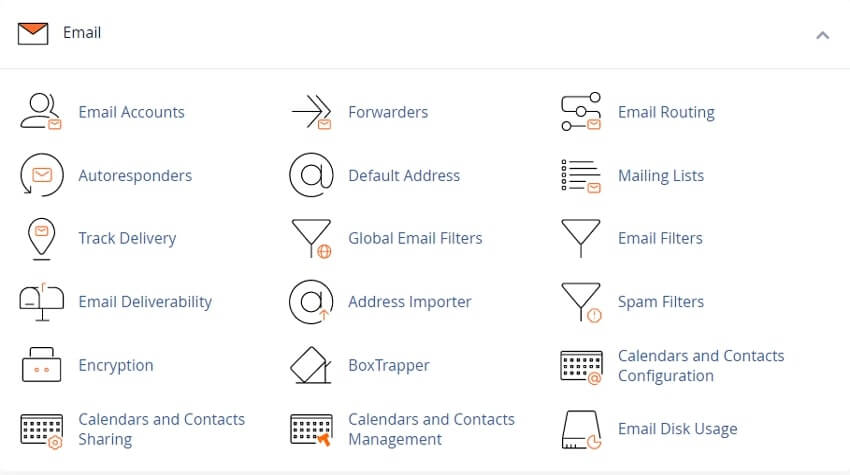
Note: This feature also appears in the Webmail interface.
Calendars and Contacts Management Table
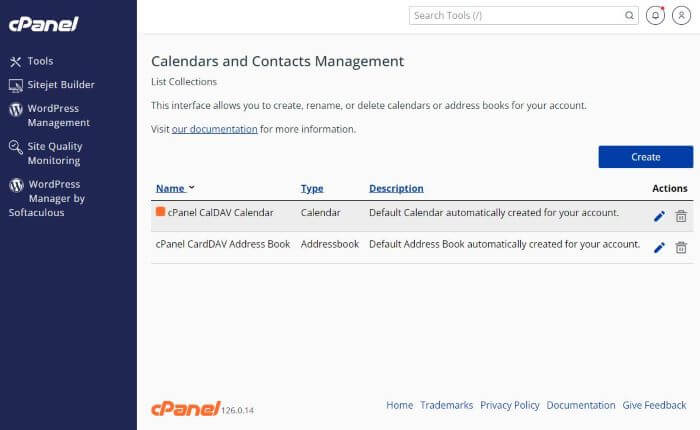
The Calendars and Contacts Management table provides a comprehensive overview of your calendars, address books, and task lists. It includes the following columns:
Name – Displays the name of each calendar, address book, or task list.
Type – Indicates whether the item is a calendar, address book, or task list.
Description – Shows an optional description to help identify the purpose or content.
Actions – Lists available actions you can perform, such as edit or delete.
The Collection Editor Interface
The Collection Editor interface allows you to create, delete, and rename collections. In this context, a *collection* refers to a group of related entries—events in a calendar, contacts in an address book, or items in a task list.
Creating a Collection
To create a new calendar, address book, or task list:
1. In the Calendars and Contacts Management interface, click Create. The Collection Editor will open.
2. From the Collection Type dropdown, select one of the following:
- Calendar
- Address Book
- Task List
3. Enter a name in the Collection Name field.
4. If you selected Calendar, a Color option will appear:
- Click Color, then choose a color from the palette.
5. Optionally, add a description in the Description field.
6. Click Submit. A confirmation message will appear, and the new collection will be added to the table.
Deleting a Collection
To delete an existing collection:
1. Locate the calendar, address book, or task list in the Calendars and Contacts Management table.
2. Click the trash can icon in the Actions column.
3. In the confirmation window, click OK to proceed.
4. A success message will appear, and the item will be removed from the table.
Note: The system automatically creates a default calendar and address book for each new email account. These default collections cannot be deleted.
Editing a Collection
To modify an existing collection:
1. Find the desired calendar, address book, or task list in the table.
2. Click the pencil icon in the Actions column to open the Collection Editor.
3. Make one or more of the following changes:
- Update the name.
- Choose a new color (for calendars only).
- Edit the description.
4. Click Submit. A success message will confirm your changes, and the updated collection will be reflected in the table.
Watch our video about cPanel Hosting Services on YouTube
Related cPanel Tutorials and How To Guides
Wide range of key features crucial for website management
Tweet Share Pin Email
Add Comment
This policy contains information about your privacy. By posting, you are declaring that you understand this policy:
- Your name, rating, website address, town, country, state and comment will be publicly displayed if entered.
- Aside from the data entered into these form fields, other stored data about your comment will include:
- Your IP address (not displayed)
- The time/date of your submission (displayed)
- Your email address will not be shared. It is collected for only two reasons:
- Administrative purposes, should a need to contact you arise.
- To inform you of new comments, should you subscribe to receive notifications.
- A cookie may be set on your computer. This is used to remember your inputs. It will expire by itself.
This policy is subject to change at any time and without notice.
These terms and conditions contain rules about posting comments. By submitting a comment, you agree with these rules:
- Although the administrator will attempt to moderate comments, not all comments can be moderated at all times.
- You acknowledge that all comments express the opinions of the original author and not those of the administrator.
- You will not post material which is knowingly false, obscene, hateful, threatening, harassing or invasive of privacy.
- The administrator has the right to edit, move or remove any comment for any reason and without notice.
Failure to comply with these rules may result in being banned from submitting further comments.
These terms and conditions are subject to change at any time and without notice.
 Online Privacy and Security, Protecting Your Privacy
 Will You Lose Business Without a Website
 The Importance of a Mobile-Friendly, Responsive Website
 Most Important Factors When Choosing a Hosting Company
Comments