
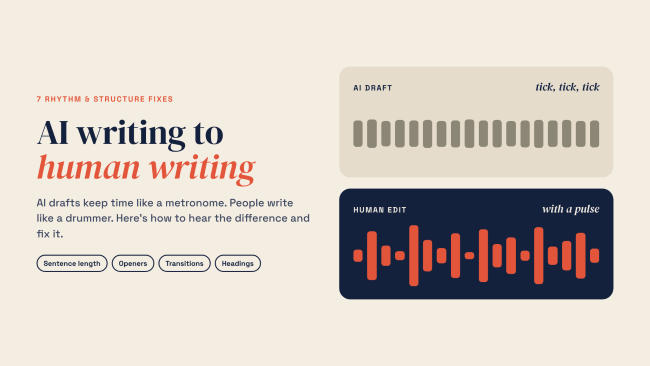
Play an AI draft out loud, and you'll hear a metronome. Tick: a medium sentence. Tick: another medium sentence. Tick: a list of three things. Then a paragraph that wraps everything up with a tidy summary. Every beat lands exactly where you expect it.
That's the problem. Human writing rarely moves at one steady pace. It speeds up when an idea gets interesting, stops short for emphasis, and sometimes lets a sentence wander because the thought needs room. Good writing has a pulse. You can hear it.
Most advice about changing AI writing to human writing focuses on vocabulary. Replace "delve." Cut "crucial." Find something better than "leverage." Those edits can help, but swapping words won't necessarily change how a piece feels. Rhythm and structure matter just as much. The seven fixes below tackle the habits that make automated writing sound predictable, even when every sentence is grammatically correct.
If you're working with AI-generated articles, product descriptions, or website copy, start with a solid AI content creation workflow. Then give the draft the kind of editorial attention that makes readers want to finish it.
AI detection tools have also examined patterns in language. GPTZero, for example, explains burstiness and perplexity, including how sentence predictability can vary across a document. These measures were part of GPTZero's earlier detection approach, although the company says its current detection architecture no longer relies on them. They're useful concepts for understanding writing rhythm, but neither provides a reliable formula for identifying authorship or making text sound human.
For a closer look at what these tools can and cannot tell you, see our review of a free AI writing checker. Detection scores may suggest passages worth examining, but they cannot establish who wrote the text.
A better goal is straightforward: make the writing clear, engaging, accurate, and worth someone's attention.
Fix 1: Break the Metronome
The tell: Sentence after sentence of roughly the same length, often around 15 to 25 words. The grammar may be perfect. The pace feels strangely mechanical.
The fix: Mix sentence lengths deliberately. Follow a longer explanation with a short observation. Let an important idea stand on its own. Use a fragment occasionally when it sounds natural.
Here's an example of what happens when several sentences follow nearly identical patterns.
Before: "Email marketing remains one of the most effective channels for small businesses. It allows companies to reach customers directly in their inboxes. It also provides measurable results that can guide future campaigns."
After: "Email still works. For a small business, it offers something valuable: a direct way to reach people who have chosen to hear from you. You can also track engagement and use those results to improve the next campaign."
The revised version moves differently. A short opening establishes the point, a longer sentence explains why it matters, and the final sentence adds a practical detail. The information hasn't become complicated. It's simply easier to follow.
Try this: Read a paragraph aloud and tap the table whenever you reach a full stop. If the taps arrive at nearly equal intervals, look for a sentence you can shorten and another that deserves more explanation. Don't force every paragraph into an artificial pattern. Let the meaning determine the pace.
Changing sentence rhythm can be particularly useful in creating quality website content, where readers often decide quickly whether a page deserves their attention.
Fix 2: Retire the Automatic Triplets
The tell: Everything arrives in groups of three. "Fast, reliable, and scalable." "Plan, execute, and measure." Three examples in every section. Three adjectives attached to every product description.
The fix: Let the subject determine how many points belong in a sentence or list.
Sometimes two reasons are enough. Occasionally, one important reason deserves an entire paragraph. If five details genuinely matter, include all five. There's no reason to trim useful information simply to satisfy a familiar writing pattern.
Consider a product description that promises a "powerful, innovative, and comprehensive solution." Those words sound polished, but what do they actually tell the buyer? Specific capabilities usually make a stronger impression.
For example, a writing application might support document uploads, individual sentence rewriting, and tone adjustments. Those are concrete features a reader can evaluate. A decorative collection of adjectives offers much less.
When editing AI-generated text, search for phrases containing several adjectives or lists that repeatedly end with ", and." Ask whether every item contributes something distinct.
- • Remove an adjective if it repeats the meaning of another.
- • Keep a list item when it offers information readers need.
- • Replace vague promotional language with specific examples or verifiable capabilities.
- • Break long lists into separate explanations when the subject warrants additional detail.
This is especially valuable when evaluating AI writing tools and their features. Readers benefit from meaningful differences between applications rather than interchangeable marketing claims.

Fix 3: Skip the Throat-Clearing
The tell: An introduction that repeats the headline or announces what the reader is about to learn. "In this article, we will explore..." and "When it comes to productivity, there are many factors to consider" are familiar examples.
The fix: Start with information rather than an announcement.
Take the opening sentence of a section and delete it temporarily. Does the next sentence communicate the idea more clearly? If so, you may have found an unnecessary introduction.
Compare these examples.
Before: "When it comes to improving website content, there are several important factors that businesses should consider."
After: "Readers abandon confusing pages long before they discover what a business offers."
The second version gives readers something concrete to consider immediately. It also creates a natural reason to continue reading.
This matters because people frequently scan online material before deciding what deserves closer attention. Research popularized by the Nielsen Norman Group, discussed in this explanation of how people read web pages, shows why concise, informative openings are valuable.
Not every introduction needs to be abrupt. Technical subjects may require context, and unfamiliar ideas sometimes benefit from a short explanation before the main point. The important distinction is whether the opening helps the reader understand something.
For business websites, clear introductions also support stronger blogging and content creation strategies. A visitor looking for a solution should encounter useful information before generic promotional language.
Fix 4: Vary the Paragraph Shapes
The tell: Every paragraph has four sentences. Every section contains three paragraphs. The entire article looks like a collection of equally sized blocks.
The fix: Give each idea the space it needs.
A complicated explanation may require several connected sentences. A simple observation might fit into one. Breaking a paragraph isn't necessarily about keeping everything short. It's about separating ideas where readers naturally expect a pause.
Like this.
A one-line paragraph can emphasize a turning point, but repetition weakens the effect. If every important statement occupies its own line, none of them feels especially important.
Paragraph length also influences how comfortable an article feels on different screens. A block that looks manageable on a desktop monitor may occupy much of a phone display. Review the page on mobile devices rather than relying entirely on how the text looks inside an editor.
A practical editing method is to examine each paragraph and identify its central idea. If several unrelated ideas share the same block, separate them. If two neighboring paragraphs continue the same thought without a meaningful break, consider joining them.
For additional guidance, accessible website design practices can help make articles more comfortable to navigate, including for people using assistive technology.
Paragraph variation should feel natural. The goal is to let the reader move through the argument without repeatedly encountering the same visual and grammatical pattern.
Fix 5: Put the Point First, and Don't Repeat It at the End
The tell: A paragraph slowly circles around its main idea, finally reveals the point, and then summarizes everything it just explained.
Sometimes the entire article follows this formula. After a long introduction and several carefully arranged sections, the closing paragraph begins with "In conclusion" and repeats the same observations.
The fix: Lead with the central claim, then explain why it matters.
For example, imagine an article about editing product descriptions. Instead of spending several sentences describing how businesses compete for attention online, begin with the actual advice: "Product descriptions should explain what an item does and who will benefit from it."
Now the writer can provide evidence, examples, or limitations. The reader already understands the direction of the paragraph.
Endings deserve similar attention. A section about editing AI-generated content might finish with a practical instruction: compare the edited passage against the original to ensure that product names, factual claims, and technical details remain correct.
That gives readers something useful to do.
There are exceptions. Narrative writing, investigative reporting, and persuasive arguments sometimes benefit from withholding a conclusion until the supporting information has been presented. Use the structure that suits the material rather than applying a rigid rule.
For informational articles and service pages, however, direct answers are often particularly effective. The same principle appears in strong website content that answers visitors' questions without making them search through unnecessary introductions.

Fix 6: Replace Signposts With Logic
The tell: Paragraphs connected by "Additionally," "Furthermore," "Moreover," or "It's also worth noting." These transitions announce another statement without explaining how it relates to the previous one.
The fix: Show the relationship between ideas. Sometimes that requires a transition. Often the connection is clear without one.
Compare the following passages.
Before: "Remote work reduces commuting costs. Additionally, it can improve employee satisfaction. Furthermore, companies may save on office space."
After: "Remote work eliminates the daily commute for many employees, saving them time and travel expenses. Employers may benefit too, especially when flexible schedules allow them to reduce office space."
The revised example connects the reasons naturally. It explains who benefits and why, without relying on a sequence of formal transition words.
Useful transitions communicate something specific. "Because" introduces a reason. "But" signals disagreement or an exception. "As a result" connects an action with its consequence.
There's nothing inherently wrong with these words. Problems appear when writers insert them automatically instead of considering the relationship between sentences.
A simple editing test: Remove a transition and read the two surrounding sentences together. If the meaning remains clear, leave it out. If the connection becomes confusing, replace the original wording with a transition that explains the logic.
AI writing tools often produce polished transitions, but that polish can become repetitive across a longer document. When testing AI tools for improving website content, evaluate how well they preserve meaningful connections rather than judging the output by grammatical smoothness alone.
Fix 7: Make Headings Promise Something
The tell: Generic headings that could appear in almost any article. "Benefits," "Key Considerations," "Best Practices," and "Important Information" rarely tell a reader what a section actually contains.
The fix: Write headings that communicate the subject and give readers a reason to continue.
Consider the difference between "Benefits of Remote Work" and "How Remote Work Can Reduce Office Expenses." The second heading identifies a specific benefit and sets a clear expectation for the section below it.
A good heading should make sense without requiring the reader to study everything above it.
That matters because people often navigate articles by scanning headings before committing to the full text. Descriptive headings also make it easier to locate information later, especially in longer tutorials or reference guides.
Try reviewing your article with the paragraphs temporarily hidden. Read only the headings, in order. Can you understand the argument? Are related ideas grouped together? Does each section offer a distinct answer or useful explanation?
When writing headings, keep these principles in mind.
- • Describe the actual information covered in the section.
- • Use questions when they reflect something readers genuinely want answered.
- • Avoid clever wording that makes the subject harder to identify.
- • Keep headings specific without turning every one into a long sentence.
- • Follow a logical hierarchy so the page remains easy to navigate.
A heading should earn its place. If it merely labels the next block of text, look for a way to make it more useful.

Putting the Seven Fixes to Work
You don't need to apply every technique simultaneously to change AI writing to human writing. In fact, trying to fix everything during one editing pass can make the process unnecessarily complicated.
Start with the structure. Once the article follows a sensible progression, work on sentence-level problems.
Here's a practical editing order for an existing draft.
- • Review the headings first. Apply Fix 7. Make sure each heading accurately describes what follows and that the sections appear in an order readers can understand.
- • Improve openings and endings. Use Fixes 3 and 5. Remove introductory filler, establish each main point early, and replace repetitive summaries with useful next steps where appropriate.
- • Check transitions and lists. Apply Fixes 2 and 6. Eliminate unnecessary signposts and examine repeated lists for weak or duplicated items.
- • Finish with a rhythm pass. Use Fixes 1 and 4. Read the draft aloud, vary sentence lengths, and adjust paragraph breaks where the flow feels stiff.
On a long draft, rewriting tools can help identify passages that need attention. An AI text humanizer such as UnAIMyText offers features designed to adjust sentence rhythm, wording, and flow. Its available options include tone controls and sentence-level rewriting.
These tools can be useful for comparing alternative phrasing. They can also introduce errors, change emphasis, or remove distinctions that matter. Compare the rewritten version against your original rather than assuming the automated revision is an improvement.
Pay particular attention to quotations, statistics, product specifications, names, and technical instructions. A smoother sentence isn't worth publishing if it changes the facts.
For businesses maintaining multiple pages, establishing an editorial checklist can make the process more consistent. The RSH Web support resources also provide guidance on website management and related publishing topics.
Find Your Drummer
The fastest way to improve the rhythm of AI-generated writing is to stop examining individual words for a moment and listen to how the entire passage moves.
Break up uniform sentence lengths. Retire lists that exist only to create a pleasing pattern. Remove unnecessary introductions, give headings a clear purpose, and let paragraphs end when they've said enough.
None of these changes requires inventing new information. They require judgment about what readers need, where they might lose interest, and how each idea connects to the next.
Before publishing, read the finished article aloud one final time. Notice where you hesitate, where a sentence feels unnecessarily long, or where several paragraphs begin in exactly the same way. Those moments often reveal problems that ordinary proofreading misses.
And don't edit away every irregularity. A natural writing voice includes occasional surprises, small shifts in pace, and sentences that reflect the way someone actually thinks.
When the rhythm works, readers rarely notice it. They're too busy following what you have to say.

Frequently Asked Questions
What does it mean to change AI writing to human writing?
Changing AI writing to human writing means editing AI-generated text so it communicates naturally, accurately, and appropriately for its audience. The process can involve restructuring paragraphs, improving sentence rhythm, removing repetitive wording, and adding original insight. Human editing also checks factual accuracy and context. The goal is readable, useful material that reflects a deliberate writing voice rather than relying entirely on automated phrasing.
Why does AI-generated writing sometimes sound robotic?
AI-generated writing can sound robotic because language models often produce familiar sentence structures, conventional transitions, and evenly organized explanations. Repeated patterns become noticeable across longer documents, particularly when the draft follows generic instructions. However, these characteristics aren't exclusive to AI. Human writers can also produce repetitive prose, and modern AI systems can generate varied styles. The most useful approach is to evaluate the writing itself rather than assume its origin.
Can changing sentence structure make AI text harder to detect?
Changing sentence structure may influence how an AI detector evaluates a passage, but there's no dependable editing method that guarantees a particular classification. Detection systems use different techniques, and their results can include false positives and false negatives. A more productive approach is to improve clarity, preserve accurate information, and contribute meaningful human judgment. If authorship disclosure is required by an employer, school, or publisher, follow those rules.
What is burstiness in AI writing?
Burstiness describes variation in how predictable different parts of a text are. The concept has been used in discussions of AI-generated language because writing patterns can differ between documents. It shouldn't be confused with simply alternating long and short sentences. Some earlier AI detection methods considered burstiness, but current detection approaches vary. For everyday editing, sentence and paragraph variation is best treated as a readability technique rather than an authorship test.
Can an AI humanizer improve writing without changing its meaning?
An AI humanizer can improve wording, tone, and sentence flow while attempting to preserve the original meaning. Some applications provide controls for rewriting strength, style, or individual sentences. Results vary, however. A rewritten passage may change a claim, weaken a qualification, or introduce an error. Review important details against the source document, especially in technical content, product descriptions, and material containing factual or legal implications.
Are free AI humanizers good enough for blog articles?
Free AI humanizers may be sufficient for revising short passages, adjusting awkward sentences, or testing alternative wording. Their usefulness depends on output quality, input limits, language support, and available editing controls. Paid versions may offer larger inputs or additional rewriting options, but higher pricing doesn't automatically mean better writing. Test a representative passage before committing to a service, and review its privacy practices before uploading unpublished or confidential content.
How do I keep my personal writing style when editing AI content?
Start with a sample of your own published writing and identify its natural tone, sentence patterns, and preferred level of detail. Use that as a reference while editing an AI draft. Replace unfamiliar expressions, add observations based on your experience, and remove statements you wouldn't normally make. If you use rewriting software, compare the output with your original voice and reject changes that make the text feel generic.
Should I use short sentences and paragraphs throughout an article?
No. Short sentences can make important points easier to absorb, while longer sentences are useful for explanations that require context. Paragraph length should follow the complexity of the idea and the needs of the reader. An article composed entirely of short statements can feel choppy. Excessively long paragraphs can become difficult to scan. A combination of sentence and paragraph lengths usually provides a more comfortable reading experience.
What's the difference between editing AI writing and using an AI humanizer?
Editing AI writing involves deliberate decisions about organization, factual accuracy, clarity, and audience expectations. An AI humanizer primarily automates changes to wording or sentence structure, although capabilities differ between products. Human editing can identify missing evidence, misleading implications, or unnecessary sections that a rewriting tool may overlook. Both approaches can be combined, but automated rewriting should remain a supporting step rather than replacing editorial review.
How can I tell when an AI-assisted article is ready to publish?
An AI-assisted article is ready for publication when it answers the intended reader's questions, follows a logical structure, and contains information you can verify. Read it aloud to catch awkward rhythm, check links and quotations, and review headings for accuracy. Confirm that rewritten passages preserve their original meaning. The final test is whether someone unfamiliar with the drafting process can understand the content and use it confidently.
Author Bio: Joel Heese
Joel is an expert in digital technology and business. His work focuses on practical website, hosting, security, and online marketing guidance for businesses and website owners.
We'd love to hear from you! Leave your experiences or questions in the comments section below.
Add Comment
This policy contains information about your privacy. By posting, you are declaring that you understand this policy:
- Your name, rating, website address, town, country, state and comment will be publicly displayed if entered.
- Aside from the data entered into these form fields, other stored data about your comment will include:
- Your IP address (not displayed)
- The time/date of your submission (displayed)
- Your email address will not be shared. It is collected for only two reasons:
- Administrative purposes, should a need to contact you arise.
- To inform you of new comments, should you subscribe to receive notifications.
- A cookie may be set on your computer. This is used to remember your inputs. It will expire by itself.
This policy is subject to change at any time and without notice.
These terms and conditions contain rules about posting comments. By submitting a comment, you agree with these rules:
- Although the administrator will attempt to moderate comments, not all comments can be moderated at all times.
- You acknowledge that all comments express the opinions of the original author and not those of the administrator.
- You will not post material which is knowingly false, obscene, hateful, threatening, harassing or invasive of privacy.
- The administrator has the right to edit, move or remove any comment for any reason and without notice.
Failure to comply with these rules may result in being banned from submitting further comments.
These terms and conditions are subject to change at any time and without notice.
Tweet Share Pin Email
Composed by our masterful copywriters
 What Is an SSL Certificate? How It Works & Why It Matters
 Why You Should Make The Switch to HTTPS
 The Different SSL Security Certificates
 Protecting Your Website From Cyberattacks
We provide our customers with high quality and 100% guaranteed hosting services
Comments