
A Comprehensive AI Guide
In today’s digital landscape, creating a stunning, functional, and user-friendly website is no longer reserved for expert coders or seasoned designers. Artificial Intelligence (AI) has revolutionized website design, empowering beginners and professionals alike to craft visually appealing, SEO-optimized, and efficient websites with minimal effort. Whether you’re a small business owner, a freelancer, or a creative entrepreneur, learning how to properly use AI for website designing can save you time, reduce costs, and elevate your online presence.


This comprehensive guide explores the ins and outs of leveraging AI for website design. From understanding its capabilities to mastering the most effective prompts, we’ll cover everything you need to know. Plus, we’ll share a curated list of the most commonly used AI prompts to streamline your design process. Let’s dive in!
How AI is Reshaping Web Designing Services
AI designing tools have transformed industries, and website design is no exception. With AI, you can automate repetitive tasks, generate creative ideas, and optimize your site for performance, all without needing advanced technical skills.
- • Speed and Efficiency: AI can produce wireframes, layouts, and even full designs in minutes.
- • Cost-Effectiveness: Reduce the need for expensive design software or hiring professionals.
- • Customization: AI adapts to your preferences, delivering tailored solutions.
- • SEO Optimization: Many AI tools integrate SEO best practices into designs.
- • Accessibility: AI democratizes design, making it accessible to non-experts.
By properly using AI for Website Designing, you unlock a world of possibilities. But to maximize its potential, you need to know how to harness it effectively.
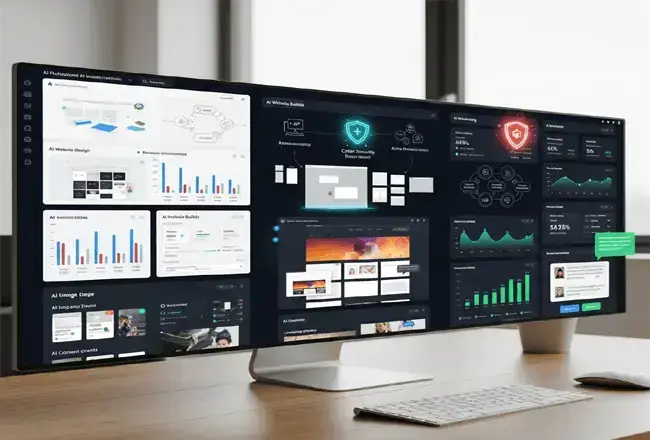
Benefits of Using AI in Website Design
When used properly, AI offers undeniable advantages. Here’s how it enhances your website design process:
- • Enhanced Creativity: AI can suggest layouts, color schemes, and typography pairings you might not have considered, sparking inspiration.
- • Time Savings: Tasks like coding a responsive navbar or optimizing images, which once took hours, can now be done in seconds.
- • Improved User Experience (UX): AI Tools analyze user behavior trends to recommend designs that boost engagement and conversions.
- • Scalability: Need to redesign multiple pages? AI can replicate styles across your site effortlessly.
How to Properly Use AI for Website Designing
Using AI for website design isn’t just about typing a vague command and hoping for the best. It requires strategy, clarity, and an understanding of what AI can (and can’t) do.
Avoid over-reliance by refining AI outputs with human insight, ensuring the design aligns with brand identity and usability standards. By balancing AI’s efficiency with manual tweaks, you can create polished, functional websites that stand out.
Follow these steps to ensure you’re using AI effectively:
Define Your Website Goals
Before engaging with AI, clarify your objectives. Are you building an e-commerce store, a blog, or a portfolio site? Your goals will shape the prompts you use and the output you expect.
For example:
- • E-commerce: Focus on product layouts and checkout flows.
- • Blog: Prioritize readability and SEO-friendly structures.
- • Portfolio: Emphasize visuals and navigation.
Choose the Right AI Tool
Not all AI tools are created equal. Some excel at generating code, others at creating visuals or content.
Below is a list of some of the most commonly used AI tools as of February 28, 2025, based on their widespread recognition, popularity, and utility across various domains.

Chatbots and Conversational AI
- ChatGPT - A versatile conversational AI model by OpenAI, widely used for text generation and answering questions.
- Claude - Anthropic’s safe and interpretable conversational AI, a competitor to ChatGPT.
- Google Gemini - Google’s multimodal AI for text, images, and more, integrated with Google services.
- Grok - X's - AI, designed for truth-seeking and answering almost any question.
- Gdeepseek - DeepSeek is a Chinese artificial intelligence (AI) company that develops large language models (LLMs)
- Perplexity AI - A conversational search engine leveraging AI for research and answers.
Image and Art Generation
- DALL·E 3 - OpenAI’s advanced text-to-image model, accessible via ChatGPT Plus. (via ChatGPT interface)
- Midjourney - A popular AI art generator known for high-quality, creative images.
- Stable Diffusion - An open-source image generation tool widely used for custom AI art.
- Canva AI - Integrated AI features within Canva for graphic design and image creation.
Writing and Content Creation
- Jasper - An AI writing assistant for marketing copy, blogs, and more.
- Copy.ai - A tool for generating marketing copy and creative content.
- Writesonic - AI-powered writing for blogs, ads, and social media content.
- Rytr - A budget-friendly AI tool for writing various types of content.
- Grammarly - An AI-enhanced writing assistant for grammar, style, and tone.
Coding, Learning, Development
- Coursiv – A mobile-friendly learning platform focused on teaching AI tools and digital freelancing skills through short, personalized lessons and practical challenges. GitHub Copilot - An AI coding assistant by GitHub for code suggestions and completion.
- Tabnine - A code completion tool using AI to assist developers.
Productivity and Organization
- ClickUp AI - AI features within ClickUp for task management and productivity.
- Notion AI - Integrated AI in Notion for writing, summarizing, and organizing.
- Asana - AI-enhanced project management and task tracking.
Video and Audio Tools
- Descript - AI-driven video and audio editing with transcription features.
- Synthesia - AI Video creation with avatars and voiceovers.
- Murf AI - An AI voice generator for realistic voiceovers.
- Invideo Agent - An AI filmmaking collaborator that helps plan, generate, and edit videos across an entire project.
Translation and Language
- DeepL - A highly accurate AI translation tool for multiple languages.
- Microsoft Translator - AI-powered translation integrated with Microsoft products.

Common Challenges and How to Overcome Them
While AI is powerful, it’s not flawless. Here are some pitfalls and solutions:
- • Generic Outputs: Use specific prompts and provide context (e.g., target audience, brand colors).
- • Lack of Originality: Combine AI-generated elements with your own ideas to create a unique design.
- • Technical Limitations: Pair AI with manual coding or design software for complex features.
By anticipating these hurdles, you can use AI more effectively and avoid frustration.

Crafting Precise Prompts
AI thrives on clear instructions. Vague prompts like “design a website” yield generic results. Instead, use detailed, specific prompts (see our list below) to get actionable outputs.
- • Iterate and Refine: AI isn’t perfect on the first try. Review its output, tweak your prompts, and refine the results until they meet your standards.
- • Integrate Human Oversight: AI can’t replace human creativity or intuition. Use it as a starting point, then add your personal touch to make the design unique.
| AI Website Design Task | What to Include in the Prompt | Example AI Web Design Prompt | Expected Website Result |
|---|---|---|---|
| Website Goals | Business type, primary objective, target audience, desired action, and required pages | Design a professional five-page website for a local accounting firm serving small businesses. Include Home, Services, About, Resources, and Contact pages with consultation calls to action. | A focused website structure built around the company’s services, audience needs, and conversion goals. |
| Homepage Layout | Hero content, navigation, service sections, trust signals, testimonials, FAQs, and call-to-action placement | Create a responsive homepage wireframe with a clear hero statement, three service highlights, customer testimonials, an FAQ section, and a consultation form near the bottom. | A logically organized homepage that introduces the business, answers visitor questions, and supports conversions. |
| Responsive Web Design | Mobile-first layout, screen sizes, breakpoints, flexible images, touch-friendly controls, and simplified navigation | Build a mobile-first website layout that adapts to phones, tablets, laptops, and desktop screens. Use flexible content sections, readable text, responsive images, and a touch-friendly navigation menu. | A consistent browsing experience across common devices without horizontal scrolling or difficult controls. |
| Brand and Visual Style | Brand personality, color preferences, typography, image direction, spacing, and visual references | Create a clean visual system for a technology consulting company. Use confident typography, generous spacing, a professional color palette, simple icons, and restrained animation. | A more distinctive design that reflects the organization’s identity instead of a generic AI-generated template. |
| Website Content | Audience, search intent, tone, factual details, benefits, page purpose, and desired word count | Write a 150-word service introduction for small-business owners searching for managed website maintenance. Use a knowledgeable, reassuring tone and explain the practical benefits without exaggerated claims. | Relevant, audience-focused copy that clearly explains the service and can be reviewed for accuracy before publishing. |
| SEO Page Structure | Primary topic, related search terms, heading hierarchy, title tag, meta description, image alt text, and internal links | Create an SEO-friendly page structure for the topic “AI website design prompts.” Include one H1, descriptive H2 sections, natural related terms, a concise title tag, a meta description, image alt text, and internal-link suggestions. | A semantically organized page that is easier for visitors, search engines, and AI answer systems to interpret. |
| AEO and GEO Content | Direct questions, concise answers, definitions, examples, comparisons, supporting facts, and clear topic entities | Organize this website design guide so each major section answers one specific user question. Begin with a concise answer, follow with practical details, and include an example and FAQ section. | Answer-focused content that can be understood, summarized, quoted, and surfaced by search and generative AI platforms. |
| Website Accessibility | Semantic HTML, keyboard navigation, form labels, alt text, heading order, focus states, and readable contrast | Review this page design for accessibility. Use semantic HTML, correctly ordered headings, descriptive form labels, keyboard-accessible controls, visible focus indicators, meaningful alt text, and readable color contrast. | A more inclusive interface, although automated output should still receive manual accessibility testing before launch. |
| User Experience Design | Visitor intent, navigation path, task flow, content priority, feedback messages, and friction points | Design a simple three-step quote-request experience. Show users their progress, request only essential information, provide clear validation messages, and display a confirmation after submission. | A clearer user journey that reduces confusion and helps visitors complete an important website action. |
| Landing Page Conversion | Offer, audience pain point, benefits, social proof, objections, primary CTA, and secondary CTA | Create a landing page for a free website consultation. Include a benefit-driven headline, three customer outcomes, trust indicators, a short objection-handling section, and one prominent booking button. | A focused landing page that guides visitors toward one measurable conversion objective. |
| Website Performance | Image sizes, code efficiency, script usage, font loading, lazy loading, and performance expectations | Generate a lightweight webpage using semantic HTML and efficient CSS. Minimize unnecessary JavaScript, reserve image dimensions, lazy-load noncritical images, and avoid large animation libraries. | A cleaner technical foundation that can be tested and refined for faster loading and improved usability. |
| Security and Privacy | Secure forms, input validation, data collection limits, third-party scripts, authentication, and privacy notices | Design a contact form that collects only necessary information. Include clear field labels, server-side validation requirements, spam protection, a privacy notice, and secure submission guidance. | A more responsible design specification that considers user data and security before the website is published. |
| AI Output Review | Accuracy checks, originality, brand consistency, browser testing, accessibility testing, links, forms, and human approval | Audit this AI-generated website before launch. Identify inaccurate claims, generic wording, inconsistent styles, broken links, mobile issues, accessibility problems, missing metadata, and nonfunctional forms. | A practical quality-control checklist that treats AI output as a first draft rather than a finished website. |
| Prompt Refinement | Specific revision request, element being changed, reason for the change, constraints, and output format | Revise only the hero section. Shorten the headline to fewer than nine words, clarify the customer benefit, preserve the existing brand voice, and provide three alternatives in a numbered list. | More controlled revisions without unnecessarily regenerating or changing the entire website design. |
The Most Common AI Prompts for Website Designing
Prompts are the key to unlocking AI’s potential. Below is a list of the most commonly used prompts for website design, categorized by task. These are designed to work with text-based AI tools like Grok or ChatGPT, but you can adapt them for other platforms.
Prompts for Website Layouts
- “Generate a wireframe for a minimalist e-commerce homepage with a header, product grid, and footer. Include placeholder text and image sizes.”
- “Design a responsive blog layout with a sidebar, main content area, and navigation menu for mobile and desktop.”
- “Create a single-page portfolio layout featuring a hero section, about me, projects grid, and contact form.”
- "Design a minimalist portfolio layout with a hero image, grid gallery, and contact form."
- "Create an e-commerce layout with a product image, description, reviews, and sticky nav."
Prompts for Coding
- “Write HTML and CSS code for a sticky navigation bar with a logo, 5 menu items, and a hamburger menu for mobile.”
- “Provide JavaScript code for a smooth scroll effect on a single-page website with 4 sections.”
- “Generate a CSS stylesheet for a dark-mode toggle button with animations.”
- "Build a basic HTML form with validation for email and password fields."
- "Write a MySQL query to fetch the top 5 products by sales from a database."
Prompts for Visual Design
- “Suggest a color palette and typography pairing for a modern tech startup website targeting young professionals.”
- “Describe a visually appealing hero section design for a travel blog, including background image ideas and button placement.”
- “Propose a logo concept and layout for a fitness brand with a bold, energetic vibe.”
- "Create a sleek logo for a tech startup with a futuristic font and blue gradient."
- "Generate a UI button with a minimalist style, soft shadow, and hover animation."
Prompts for Content Creation
- “Write a 100-word ‘About Us’ section for a sustainable clothing brand targeting eco-conscious consumers.”
- “Create 5 SEO-optimized blog post titles for a website design niche.”
- “Draft a call-to-action (CTA) for a SaaS Landing Page encouraging users to sign up for a free trial.”
- "Create a catchy social media caption for a new coffee shop opening."
- "Draft a short script for a 30-second promotional video about eco-friendly travel."
Prompts for SEO and Optimization
- “Provide a list of 10 long-tail keywords for a website design agency targeting small businesses.”
- “Suggest meta descriptions and alt text for a photography portfolio homepage with 3 featured images.”
- “Recommend an SEO-friendly URL structure for a multi-page e-commerce site selling handmade jewelry.”
- "Write a 60-character meta title for a page selling organic skincare products."
- "Suggest 5 internal linking strategies for a tech news site."
Prompts for User Experience (UX)
- “Design a checkout flow for an online store with 3 steps: cart review, shipping details, and payment.”
- “Suggest 5 ways to improve website navigation for a news site with 10 categories.”
- “Propose a mobile-friendly footer layout with social media icons, contact info, and quick links.”
- "Recommend 3 accessibility features for a blog reading experience."
- "Propose 5 microinteraction ideas for a food delivery app."

Step-by-Step Example: Designing a Website with AI
Let’s walk through a practical example of using AI to design a simple blog site.
Step 1: Define the Goal
“I want a clean, modern blog site to share tech tutorials.”
Step 2: Layout Prompt
“Generate a wireframe for a tech blog homepage with a header, featured post section, recent posts grid, and footer.”
AI Output: A text-based wireframe with sections, placeholder text, and dimensions.
Step 3: Coding Prompt
“Write HTML and CSS for a responsive header with a Logo, navigation menu, and search bar.”
AI Output: Clean, functional code you can paste into your editor.
Step 4: Visuals Prompt
“Suggest a color scheme and font pairing for a tech blog targeting developers.”
AI Output: “Use a dark blue (#1E3A8A) and light gray (#D1D5DB) palette with ‘Roboto Mono’ for code snippets and ‘Inter’ for body text.”
Step 5: Content Prompt
“Write a 50-word intro for a tech blog homepage.”
AI Output: “Welcome to Tech-Blogger, your go-to source for coding tutorials and tech insights. From Python
tricks to web design tips, we’ve got you covered. Dive in and level up your skills today!”
Step 6: Refine and Launch
Tweak the AI outputs, test the pages and site, and publish.
Best Practices for Optimizing AI-Designed Websites
To ensure your AI-designed site performs well, follow these tips:
- • Optimize for Speed: Compress images and minify code using tools like TinyPNG or UglifyJS.
- • Ensure Mobile Responsiveness: Test your design on multiple devices and adjust breakpoints as needed.
- • Focus on SEO: Incorporate keywords naturally, use proper heading tags (H1, H2, etc.), and add alt text to images.
- • Add Analytics: Integrate tools like Google Analytics to track performance and refine your site over time.

The Future of AI in Website Design
The future of AI in website design promises a blend of automation and personalization that could redefine digital experiences. As AI tools evolve, they’ll likely handle complex tasks like real-time layout adjustments, predictive user behavior analysis, and dynamic content generation with minimal human input. Designers may shift toward overseeing AI outputs, fine-tuning aesthetics, and ensuring emotional resonance, while AI optimizes accessibility and performance. With advancements in natural language processing and machine learning, websites could adapt instantly to user preferences, making design faster, smarter, and more inclusive, ushering in an era of hyper-customized, AI-driven web innovation
Expect advancements like:
- Real-time design adjustments based on user feedback.
- AI-driven A/B testing for layouts and CTAs.
- Fully autonomous website builders that adapt to trends.
Summary
Properly using AI for website designing is about blending technology with creativity. With the right tools, precise prompts, and a touch of human ingenuity, you can craft websites that captivate audiences and rank well on search engines. Whether you’re brainstorming layouts, coding features, or optimizing for SEO, AI is your ultimate co-designer.
Start experimenting with the prompts listed above, refine your process, and watch your web design projects soar.
By mastering AI now, you’ll stay ahead of the curve and future-proof your skills.
Author Bio: William Howard
Skilled in WordPress and WordPress Alternatives, a great blog writer with expertise in content creation, blog editing, article development, and keyword research. With a comprehensive...
Add Comment
This policy contains information about your privacy. By posting, you are declaring that you understand this policy:
- Your name, rating, website address, town, country, state and comment will be publicly displayed if entered.
- Aside from the data entered into these form fields, other stored data about your comment will include:
- Your IP address (not displayed)
- The time/date of your submission (displayed)
- Your email address will not be shared. It is collected for only two reasons:
- Administrative purposes, should a need to contact you arise.
- To inform you of new comments, should you subscribe to receive notifications.
- A cookie may be set on your computer. This is used to remember your inputs. It will expire by itself.
This policy is subject to change at any time and without notice.
These terms and conditions contain rules about posting comments. By submitting a comment, you agree with these rules:
- Although the administrator will attempt to moderate comments, not all comments can be moderated at all times.
- You acknowledge that all comments express the opinions of the original author and not those of the administrator.
- You will not post material which is knowingly false, obscene, hateful, threatening, harassing or invasive of privacy.
- The administrator has the right to edit, move or remove any comment for any reason and without notice.
Failure to comply with these rules may result in being banned from submitting further comments.
These terms and conditions are subject to change at any time and without notice.
Tweet Share Pin Send
Comments