
WordPress
WordPress is a widely used open-source content management system with a large ecosystem of themes, plugins, hosting tools, developers, and documentation. That breadth makes it suitable for many websites, but it is not the only option. A different CMS, website builder, e-commerce platform, wiki, or flat-file system may fit better when a project has specialized publishing, development, commerce, workflow, or infrastructure requirements.


Which WordPress Alternative Should You Choose?
Choose according to the type of site and the workflow you need. Sitejet is useful for visual website building within supported hosting environments. Joomla is a general-purpose CMS with flexible content organization. Drupal is well suited to complex structured-content projects. Concrete CMS emphasizes in-context editing. PrestaShop and Magento Open Source are e-commerce-focused platforms. TYPO3 targets complex and enterprise content management. ProcessWire gives developers a flexible API-driven CMS/CMF, while Grav uses flat-file content storage instead of a traditional content database.
WordPress Alternatives Comparison
| Platform | Best Fit | Content Model | E-commerce | Typical Technical Level |
|---|---|---|---|---|
| Sitejet | Visual website building and design workflow | Website builder/CMS environment | Integrations and supported features | Beginner–Intermediate |
| Joomla | General-purpose content websites | Database-backed CMS | Through extensions | Intermediate |
| Drupal | Complex structured content and custom applications | Database-backed CMS | Through modules/integrations | Advanced |
| Concrete CMS | In-context visual content editing | Database-backed CMS | Through extensions/integrations | Intermediate |
| PrestaShop | Dedicated online stores | Database-backed e-commerce platform | Core purpose | Intermediate |
| TYPO3 | Complex and enterprise content management | Database-backed CMS | Through extensions/integrations | Advanced |
| ProcessWire | Developer-built custom sites and applications | Database-backed CMS/CMF | Custom/modules | Advanced |
| Grav | Flat-file websites and documentation-style projects | Flat-file CMS | Plugins/integrations | Intermediate |
“Technical level” is a general guide, not a fixed rating. A developer-built site can be easy for editors to use, while extensions and custom requirements can make any platform more complex.
How to Choose a WordPress Alternative
Start with the job the website must perform. Compare visual editing, custom content types, multiple authors, multilingual publishing, themes or templates, extensions, e-commerce, APIs, SEO controls, accessibility, permissions, editorial workflow, security updates, backups, hosting requirements, database requirements, migration and export tools, community or commercial support, and expected growth. Also consider the skills of the people who will build and maintain the site.
WordPress vs Other CMS Platforms
| WordPress | Alternative CMS or Platform |
|---|---|
| Large ecosystem of themes, plugins, developers, documentation, and hosting support. | May offer a more specialized content model, workflow, development framework, commerce focus, or editing experience. |
| Core software is free and open source; themes, plugins, development, and hosting can add costs. | Costs vary widely: some alternatives are open source, while builders and commercial editions may use subscriptions or licenses. |
| Performance depends on hosting, theme, plugins, database, caching, media, traffic, and configuration. | Performance also depends on architecture, extensions, content, hosting, caching, configuration, and workload. |
| Requires ongoing core, theme, and plugin maintenance. | Every actively maintained CMS also requires version, extension, security, and compatibility management. |
WordPress is not inherently slow, and free plugins are not inherently inferior to paid plugins. Evaluate software by current maintenance, security history, compatibility, functionality, documentation, support, and suitability for the project rather than price alone.
Types of WordPress Alternatives
- General-purpose CMS: Joomla, Drupal, Concrete CMS, MODX, CMS Made Simple, e107, and Contao can manage conventional websites with different approaches to content and extensibility.
- Developer-oriented CMS/CMF: ProcessWire, October CMS, MODX, and Silverstripe provide frameworks or APIs suited to custom development.
- Enterprise content management: TYPO3 and Drupal can support complex publishing, permissions, integrations, multilingual content, and large organizational workflows.
- E-commerce platforms: PrestaShop and Magento Open Source focus primarily on online commerce rather than being direct blogging replacements.
- Flat-file CMS: Grav stores content without a traditional SQL content database.
- Wiki software: MediaWiki is designed for collaboratively edited knowledge bases and reference sites.
- Website builder: Sitejet provides a visual site-building workflow rather than the same self-hosted CMS model as Joomla, Drupal, or ProcessWire.
Open-Source CMS vs Website Builder
| Open-Source CMS | Website Builder |
|---|---|
| Usually installed on compatible hosting and maintained by the site owner, host, developer, or agency. | The builder environment provides much of the editing and site-creation workflow. |
| Often provides direct access to application files, databases, extensions, and server configuration. | Server-level and application-level control depends on the builder and hosting integration. |
| Extensibility can include modules, plugins, themes, APIs, and custom code. | Extensions and integrations depend on what the builder supports. |
| Migration options depend on the CMS's export tools, database, media, and custom development. | Export and migration capabilities vary by builder and should be checked before committing to a platform. |
WordPress Alternative Platforms
SiteJet: AI Website Builder:
Sitejet Website Builder lets you create competitive websites quickly and effortlessly directly from your panel. It has all the tools you need for easy site building, no coding required. Drag and drop page editor. Powerful design capabilities. AI-driven content creation.
Fully integrated in your panel. Built-in SEO settings. If you are looking for a good website builders to create a website, whether it be for personal use or a business. Sitejet is a platform worth exploring. Sitejet is a complete web design suite that combines project management and automation with a high-performance CMS, giving users full design and code flexibility.
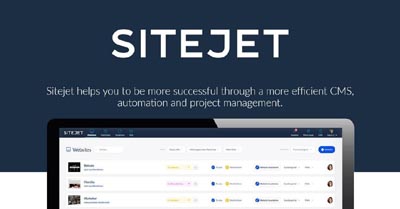
Sitejet Pros: All-in-one platform with built-in hosting, collaboration tools, and strong performance features like CDN and SSL
Sitejet Cons: Steeper learning curve, especially for beginners due to its more complex interface
Joomla
Joomla is an open-source content management system used for websites ranging from blogs and business sites to more structured content projects. It supports templates, extensions, multilingual capabilities, user access controls, and flexible content organization. Compared with WordPress, Joomla uses a different administration and extension model, so the better choice depends on the project and the experience of the team managing it.
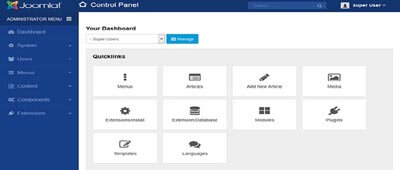
This CMS platform offers great flexibility for displaying various types of content. Specifically its structure which lets you arrange content in multiple ways such as re-purposing the previous blog as a page, an event or an article. Joomla’s flexibility also lies in the fact it allows utilizing multiple Extensions for different pieces of content. With WordPress, you can only use one specific theme for all types of content.
Joomla Pros: E-commerce support: Joomla users are able to manage their content and their online store in the same place. Currently, Joomla supports some E-commerce components that are great for creating shopping stores such as VirtueMart, JoomShopping, K2Store, etc.
Joomla Cons: Relatively complex: Targeting to professional users, this platform requires more time and effort. Especially when you are not familiar with technical terminology.
Drupal
Drupal is an open-source content management system and framework designed for structured content, flexible data modeling, permissions, multilingual publishing, APIs, and custom applications. It is commonly chosen when a project needs complex content relationships or development workflows beyond a basic site or blog.
Drupal supports configurable content types, fields, taxonomies, views, media, permissions, and reusable structured content. WordPress can also create custom post types, fields, taxonomies, and reusable content through core features, themes, plugins, and custom development; the two systems approach content modeling and administration differently.
Drupal Pros: A great degree of flexibility: Drupal acts as a blank slate, meaning that you can customize your webpage on all levels.
Drupal Cons: Can be difficult to use: Drupal is designed to be customized, set-up, upkeep and maintenance can be a headache for non-techies.
Concrete CMS
Concrete CMS is designed for ease of use, for users with a minimum of technical skills. It enables users to edit site content directly from the page. It provides version management for every page, similar to wiki software. Concrete CMS is a Framework like Symfony or Laravel. Beneath the interface components and site structure of concrete sits a powerful framework built from custom components and third party libraries. Concrete CMS is an open source content management system for teams.
Concrete CMS is packed with powerful features to make it easy for a team to run even the most complex websites. Our Editor makes it easy to customize your site exactly the way you want it. No creative limits or coding needed. The real power is in the way you can customize your Concrete CMS website. A wide variety of add ons to extend your website and broaden your functionality. Making it a very popular choice for a WordPress alternative.
Concrete CMS Pros: User-friendly CMS with in-context editing, built-in SEO tools, and flexible design options, suitable for professional hosting environments
Concrete CMS Cons: Smaller marketplace for themes and plugins compared to major CMS platforms, which can limit out-of-the-box customization options
Magento
Magento Open Source is an e-commerce platform maintained within the Adobe Commerce ecosystem. It is intended primarily for online stores rather than as a direct replacement for a general-purpose blog. Adobe documentation is current through Magento Open Source 2.4.9 in 2026. Organizations considering it should review the current system requirements, search services, Composer dependencies, security releases, and operational complexity for the exact version they plan to deploy.

Magento Open Source provides catalog, cart, checkout, customer, order, promotion, reporting, API, and other commerce capabilities. WordPress typically adds e-commerce through a plugin such as WooCommerce. The platforms have different architectures and operational requirements, so compare store complexity, development resources, integrations, hosting, upgrade process, and total maintenance needs.
Magento Pros: High customizable: Magento gives you the ability to edit and create a store that suits your style. This makes Magento a decent option if you have very customizable products to sell.
Magento Cons: Steep learning curve: Magento gears towards intermediate to advanced levels of web development. Hence, if you are a non-techie, it is likely that you will have difficulties setting up and customizing your Magento site.
Prestashop
PrestaShop is an open-source e-commerce platform designed for building and managing online stores. Its core purpose is commerce, with product, catalog, order, customer, tax, shipping, payment, marketing, and store-management functionality that can be extended through modules and themes.
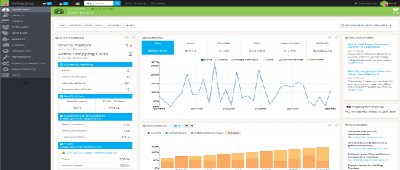
PrestaShop and WordPress are both open-source projects, but their core purposes differ. PrestaShop is commerce-focused, while WordPress is a general-purpose CMS that can add e-commerce through plugins. Support options, modules, themes, services, and pricing can change, so evaluate the current PrestaShop ecosystem and the requirements of the store rather than relying on fixed historical support or add-on prices.
Prestashop Pros: Easy to install: Prestashop takes into consideration the non-tech savvy users to make setting up an online store an easy feat.
Prestashop Cons: Add-ons can be expensive: The price for Prestashop add-ons ranges from $20 to $50. Nonetheless, the cost for these extensions can add up overtime.
MODX
MODX is an open-source CMS and web application framework built for flexibility and full design control. It allows developers to create fully customized websites without the limitations of traditional themes, using clean code and a powerful templating system. Built on PHP with MySQL support, MODX is ideal for anything from simple sites to complex, scalable web applications.

For hosting, MODX is known for speed, security, and efficiency. It includes built-in caching for faster load times, strong security features, and complete control over site performance. Its lightweight structure, flexible architecture, and support for staging, backups, and SSL make it a reliable choice for high-performance hosting environments.
MODX Pros: Highly flexible and fast CMS with built-in caching, strong security, and complete control over design and code
MODX Cons: Steeper learning curve and better suited for developers rather than beginners
e107
E107 CMS is a free open source content management system developed in PHP that uses a MySQL database. It comes with all the features you would expect from a CMS and can be used for all types of websites from personal to corporate websites or intranets. This CMS is also considered a great WordPress alternative.
e107 is a PHP and MySQL-based CMS with content publishing, user management, permissions, themes, plugins, and community-oriented features. Its official FAQ currently lists PHP 5.6 or higher as a minimum requirement, but minimum compatibility should not be treated as a recommended production runtime. Use a PHP version supported by both the CMS release and your hosting environment, and verify extension compatibility before upgrading.
E107 Pros: Lightweight and easy-to-use CMS with built-in features like forums, user management, and SEO Tools, making it ideal for simple hosted websites
E107 Cons: Smaller plugin and theme ecosystem compared to major platforms like WordPress, limiting scalability and flexibility
PyroCMS
PyroCMS is a free and open source PHP CMS WordPress alternative that is built on the Laravel framework and the Laravel CMF. It offers a simple, clean, and consistent control panel, a mobile responsive design, and a localization feature. You can create and manage your content with Artisan commands and modules.
The control panel is built on standardized patterns and principles just like the API. This means it is faster and easier for your team to create components and easier for clients to use. Easily translate content into multiple languages. Safely override core translations without hacking. Automatically route translated content.
PyroCMS Pros: Flexible, modular CMS built on Laravel with strong customization, multi-language support, and powerful addon system for scalable hosting environments
PyroCMS Cons: Smaller community and limited plugin ecosystem, often requiring custom development for advanced features
CMS Made Simple
CMS Made Simple is a user-friendly, highly expandable, and customizable Content Management System that is a great WordPress alternative. It supports a modular and extensible design with Smarty templating engine, powerful addons, and SEO features.

A modular and extensible Content Management System that, with the Smarty templating engine, is easy to customize to create the sites and applications you want. Freedom to design the site you want. Straightforward templating that makes turning your designs into pages a breeze. Maintain and update your site quickly and easily from anywhere with a web connection.
CMS Made Simple Pros: Lightweight, flexible CMS with powerful templating, built-in caching, and strong customization options for performance-focused hosting
CMS Made Simple Cons: Requires some technical knowledge (HTML/CSS) and is better suited for developers than beginners
SilverStripe
Silverstripe CMS is a flexible and customizable content management system that empowers web teams to create the web they want. Learn how to get started, download the software, and explore the features, tutorials, and resources of this open source project
Silverstripe combines a CMS with a developer framework and templating system for custom websites and applications. It is generally more developer-oriented than visual site builders. Evaluate the current supported Silverstripe release, PHP and database requirements, module compatibility, and the skills of the team that will maintain the project.
Silverstripe CMS Pros: Flexible, developer-friendly CMS with strong security, customizable framework, and scalable architecture for advanced hosting needs
Silverstripe CMS Cons: Requires technical expertise and development knowledge, making it less beginner-friendly than simpler CMS platforms
TYPO3
TYPO3 is an open-source enterprise content management system for websites, intranets, multilingual publishing, structured editorial workflows, permissions, and integrations. As of September 2026, TYPO3 14 LTS is the stable version recommended by the project for new deployments, with TYPO3 13 LTS supported for existing projects.
TYPO3 supports extensibility, multilingual content, granular permissions, workspaces, redirects, integrations, and enterprise publishing workflows. TYPO3 14 LTS currently requires a modern PHP and database environment; always use the official requirements for the exact supported branch rather than copying requirements from an older TYPO3 release.
TYPO3 Pros: Enterprise-grade CMS with robust scalability, multilingual support, and advanced user permissions, ideal for complex hosting environments
TYPO3 Cons: Steep learning curve and complex setup, making it more suitable for experienced developers than beginners
MediaWiki
MediaWiki is an extremely powerful, scalable software and a feature-rich wiki implementation that uses PHP to process and display data stored in a database, such as MySQL. Pages use MediaWiki's wikitext format, so that users without knowledge of HTML or CSS can edit

MediaWiki is the free open-source wiki software used to power Wikipedia and thousands of other wikis. The contributions of hundreds of individual developers have helped make it a feature-rich, secure and scalable platform capable of powering some of the largest collaboratively edited reference projects in the world
MediaWiki Pros: Powerful, open-source platform for collaborative Content Creation and knowledge management, ideal for documentation or wiki-style sites
MediaWiki Cons: Limited design flexibility and requires technical setup, making it less suitable for traditional website hosting or non-technical users
October CMS
October CMS was engineered to be easy for both developers and users that agree is a great WordPress alternative. At its core, we’ve used long-standing programming principles to create a brilliantly simple CMS that makes web development easier.
October CMS is a self-hosted CMS built on Laravel and aimed at developers and teams building customized websites. Its licensing, editions, Laravel foundation, marketplace, and system requirements should be checked against the current October CMS documentation before deployment.
October CMS Pros: Lightweight, developer-friendly CMS built on Laravel, offering modular design, easy theming, and strong performance for hosted websites
October CMS Cons: Smaller community and plugin ecosystem, often requiring custom development for advanced features or functionality
Contao
Contao provides advanced editing features like copying or moving records via clipboard, editing multiple records at once or restoring prior versions. Editors can format texts with the built-in rich text editor TinyMCE, which also includes a multilingual spellchecker. Contao is a alternative to WordPress

Contao supports different page types (e.g. regular or redirect pages) and multiple websites in one tree. You have full control over whether a page is hidden, password protected, cached or indexed for searching and you can publish them either manually or timed. The state-of-the-art structure of the system offers a high Security standard and allows you to develop search engine friendly websites that are also accessible for people with disabilities.
Contao Pros: Secure, flexible CMS with built-in SEO tools, responsive design, and robust content management suitable for professional hosting
Contao Cons: Steeper learning curve and fewer extensions compared to more popular CMS platforms, limiting out-of-the-box functionality
ProcessWire
ProcessWire is a friendly and powerful open source CMS with an API that is a joy to use at any scale. It is both a content management system (CMS) and framework (CMF) built to save you time and work the way you do. With all custom fields, a secure foundation, proven scalability and performance
ProcessWire is an open-source PHP content management system and framework with an API-driven approach to pages, fields, templates, and custom content. Its current official requirements recommend PHP 8.x or newer and MySQL 5.6 or newer, with MariaDB also supported. Verify the requirements for the release you install and follow the project guidance when using non-Apache web servers.
ProcessWire Pros: Lightweight, flexible CMS with a powerful API, customizable fields, and strong performance for developers and high-traffic hosted sites
ProcessWire Cons: Smaller community and fewer ready-made themes or plugins, often requiring custom development for complex features
Grav CMS
Grav is an open-source flat-file CMS. Content and configuration are stored in files rather than a traditional SQL content database, which gives it a different architecture from WordPress, Joomla, Drupal, and many other CMS platforms. It supports themes and plugins and is suited to projects where its file-based content workflow fits the publishing and development requirements.

Because Grav is flat-file, backups and deployment can be straightforward for many projects, but database-free does not automatically mean faster, more scalable, or more secure. Performance and security still depend on the application version, plugins, theme, server configuration, caching, content, permissions, and maintenance.
Grav Pros: Fast, flat-file CMS with no database required, offering flexibility, easy backups, and strong performance for lightweight hosted websites
Grav Cons: Limited built-in features compared to database-driven CMS, often requiring plugins for advanced functionality
WordPress Alternative Hosting Requirements
Hosting requirements vary significantly between CMS platforms and versions. Before installation, verify the project's current PHP or other runtime requirements, supported database versions, required extensions, web-server configuration, memory, storage, HTTPS, email, scheduled tasks, search services, caching, file permissions, and command-line or Composer requirements where applicable.
A small Grav site and a large Magento Open Source store do not have comparable infrastructure needs. Likewise, enterprise TYPO3 or Drupal projects can require more planning than a basic brochure site. Size hosting for the actual workload, traffic, media, integrations, editors, extensions, search, background jobs, and growth rather than choosing a plan from the CMS name alone.
CMS Security Best Practices
- Use a currently supported CMS release and a runtime version supported by both the CMS and hosting environment.
- Apply core and extension security updates promptly after appropriate testing.
- Install themes, modules, plugins, and packages only from trusted sources and remove components you no longer use.
- Use HTTPS throughout the site, including administrator and editor sessions.
- Use strong unique credentials and multi-factor authentication when the platform supports it.
- Give users only the permissions required for their role and periodically review administrator accounts.
- Protect configuration files, environment files, database credentials, API keys, and deployment secrets.
- Maintain tested backups of application files, databases or content files, media, and configuration.
- Monitor logs, authentication activity, unexpected file changes, failed jobs, and security advisories.
- Test major CMS, runtime, database, theme, and extension upgrades in a staging environment when practical.
Database CMS vs Flat-File CMS
| Database-Backed CMS | Flat-File CMS |
|---|---|
| Stores structured content and settings in a database such as MySQL, MariaDB, PostgreSQL, or another supported database. | Stores content and configuration primarily in files rather than a traditional SQL content database. |
| Well suited to complex relationships, queries, users, workflows, commerce, and large structured datasets when properly designed. | Can simplify deployment and backup workflows for projects that fit a file-based content model. |
| Requires database maintenance and backups in addition to application files. | Still requires application updates, file permissions, backups, security, and performance planning. |
| Examples on this page include WordPress, Joomla, Drupal, TYPO3, ProcessWire, and PrestaShop. | Grav is the primary flat-file example on this page. |
How to Migrate Away From WordPress
- Inventory the current site: List posts, pages, custom post types, taxonomies, users, comments, media, forms, memberships, products, plugins, integrations, redirects, and SEO metadata.
- Choose the destination platform: Confirm that it supports the content model, editorial workflow, commerce, integrations, and growth requirements.
- Map equivalent features: Identify how WordPress themes, plugins, widgets, shortcodes, custom fields, and WooCommerce functions will be replaced.
- Create complete backups: Preserve files, database, media, configuration, and an export of important content before changing the production site.
- Export and transform content: Use available export/import tools, APIs, database migration, or custom scripts according to the destination CMS.
- Migrate media and metadata: Preserve image references, alt text, authors, dates, categories, tags, SEO fields, and other important structured information.
- Rebuild design and functionality: Recreate templates, navigation, forms, search, commerce, user roles, analytics, and integrations in the new platform.
- Preserve URLs where possible: Map old URLs to new URLs and implement appropriate redirects for addresses that must change.
- Test before launch: Check content, mobile layouts, accessibility, forms, logins, checkout, search, canonical tags, structured data, analytics, and performance.
- Monitor after migration: Review crawl errors, 404s, redirects, indexing, analytics, logs, conversions, and user reports after the new site goes live.
When Should You Keep WordPress?
Switching platforms creates migration cost and risk, so staying with WordPress can be sensible when the site already works well, the team knows the administration workflow, required plugins and integrations are dependable, the theme is maintainable, and the current hosting meets performance and security needs. An established WooCommerce store or a site with extensive WordPress-specific integrations may require substantial work to reproduce elsewhere.
Before migrating because of speed, security, or maintenance concerns, determine whether the underlying issue is the hosting environment, an outdated theme, poorly maintained plugins, oversized media, database growth, caching, configuration, or development practices. Changing CMS platforms will not automatically solve infrastructure or maintenance problems.
WordPress Alternative Maintenance & Compatibility
CMS projects follow different release and support schedules. As of September 2026, official documentation shows active current development for major platforms covered here, including TYPO3 14 LTS and Magento Open Source 2.4.9. ProcessWire currently recommends PHP 8.x or newer. Requirements and supported versions change, so verify the official release and requirements pages immediately before installing or upgrading any CMS.
Availability in a hosting installer or software catalog does not guarantee that every application, extension, theme, or branch has the same maintenance status. Check the exact version, release date, security advisories, runtime support, extension compatibility, backup and upgrade process, and migration options before using a CMS for a new production site.
Frequently Asked Questions About WordPress Alternatives
What is the best alternative to WordPress?
There is no single best replacement because the platforms solve different problems. Joomla is a general CMS, Drupal emphasizes structured content and custom applications, PrestaShop and Magento Open Source focus on e-commerce, ProcessWire is developer-oriented, Grav is flat-file, and Sitejet provides a visual building workflow. The CMS hosting guide covers additional content-management options and hosting considerations.
What is the easiest WordPress alternative for beginners?
A visual website builder can be easier for users who want to design pages without managing a large plugin ecosystem, while a traditional CMS may provide more control over structured content. Ease of use depends on the site and the person maintaining it. The RSH support center includes website-builder, cPanel, WordPress, hosting, and other website-management resources.
What is the best open-source alternative to WordPress?
Joomla, Drupal, Concrete CMS, MODX, TYPO3, ProcessWire, Grav, PrestaShop, and several other platforms on this page are open-source options, but they target different workloads. Compare content modeling, editing, extensions, hosting, development skills, maintenance, and migration tools. The RSH blog index provides additional CMS, web-development, hosting, security, and website-management guides.
Which WordPress alternative is best for e-commerce?
PrestaShop and Magento Open Source are dedicated e-commerce platforms, while general CMS platforms can add commerce through extensions or integrations. The right choice depends on catalog size, checkout, payments, shipping, taxes, inventory, integrations, development resources, hosting, and upgrade requirements. For a WordPress site, WooCommerce remains another option rather than requiring a CMS migration solely to add a store.
What is the best WordPress alternative for developers?
Developers may consider ProcessWire, Drupal, MODX, Silverstripe, October CMS, or other platforms depending on preferred frameworks, APIs, templating, content models, and deployment workflows. No platform is universally best for developers. ProcessWire, for example, provides an API-driven CMS/CMF approach. The framework hosting resources cover hosting considerations for web-development frameworks.
What is the difference between Joomla, Drupal, and WordPress?
All three are open-source content management systems, but their administration, content models, extension ecosystems, permissions, theming, APIs, and development workflows differ. WordPress has a particularly large theme and plugin ecosystem; Joomla provides flexible general CMS capabilities; Drupal emphasizes structured content and configurable application architecture. The WordPress hosting guide explains the WordPress side of that comparison.
Is a flat-file CMS better than WordPress?
Not inherently. A flat-file CMS such as Grav stores content without a traditional SQL content database, which can suit certain websites and deployment workflows. WordPress's database-backed model supports a broad ecosystem and dynamic functionality. The better architecture depends on content, users, integrations, extensions, search, workflow, scale, and maintenance requirements rather than whether a database is present.
Do WordPress alternatives require web hosting?
Self-hosted CMS platforms require a compatible server environment, while hosted builders or SaaS platforms may bundle infrastructure into the service. Requirements can include PHP or another runtime, databases, HTTPS, email, cron jobs, extensions, Composer, search services, and sufficient resources. The hosting FAQ covers databases, backups, security, migrations, and other hosting topics.
Are WordPress alternatives more secure than WordPress?
A different CMS is not automatically more secure. Security depends on supported software, prompt updates, extension quality, permissions, authentication, hosting configuration, backups, monitoring, and administrator practices. Smaller ecosystems can still have vulnerabilities, while well-maintained WordPress installations can be securely operated. The website security guide provides practical measures that apply across platforms.
Can I migrate a WordPress website to another CMS?
Yes, but complexity depends on the site's content and features. Posts and pages may be straightforward, while custom fields, page builders, memberships, forms, products, users, shortcodes, plugins, and integrations can require custom migration work. Preserve URLs or create redirects, test thoroughly, and keep recovery copies. Review website backup best practices before migration.
Should I switch from WordPress to another CMS?
Switch when another platform provides a clear functional, technical, workflow, or operational benefit that justifies migration. If the current WordPress site meets requirements, its plugins are maintained, the team knows the workflow, and hosting is appropriate, staying can avoid unnecessary migration risk. First identify whether the real problem is WordPress itself or the theme, plugins, hosting, configuration, or maintenance practices.
Hosting WordPress Alternatives
Before choosing hosting for a CMS, verify the exact software version and its runtime, database, extension, storage, memory, HTTPS, email, scheduled-task, search, and command-line requirements. RSH Web Services provides CMS hosting for compatible content-management applications and cPanel hosting for websites that fit the supported hosting environment.
Summary
WordPress alternatives range from general-purpose CMS platforms and visual builders to enterprise systems, e-commerce applications, developer frameworks, wikis, and flat-file CMS software. The right choice depends on the site's content model, editors, technical team, integrations, commerce requirements, hosting environment, maintenance expectations, and migration needs.
Compare platforms by the work they need to perform rather than assuming a different CMS will automatically be faster, cheaper, easier, or more secure. Verify current requirements and maintenance status, plan backups and upgrades, and account for the cost of rebuilding themes, plugins, URLs, SEO metadata, integrations, and workflows before migrating an established WordPress website.
Author Bio: James Vance
A writer and composer hailing from SouthShire, England. With a love for crafting compelling content...
We would love to hear from you, so please share your thoughts, experiences, or any questions in the comments below.
Add Comment
This policy contains information about your privacy. By posting, you are declaring that you understand this policy:
- Your name, rating, website address, town, country, state and comment will be publicly displayed if entered.
- Aside from the data entered into these form fields, other stored data about your comment will include:
- Your IP address (not displayed)
- The time/date of your submission (displayed)
- Your email address will not be shared. It is collected for only two reasons:
- Administrative purposes, should a need to contact you arise.
- To inform you of new comments, should you subscribe to receive notifications.
- A cookie may be set on your computer. This is used to remember your inputs. It will expire by itself.
This policy is subject to change at any time and without notice.
These terms and conditions contain rules about posting comments. By submitting a comment, you agree with these rules:
- Although the administrator will attempt to moderate comments, not all comments can be moderated at all times.
- You acknowledge that all comments express the opinions of the original author and not those of the administrator.
- You will not post material which is knowingly false, obscene, hateful, threatening, harassing or invasive of privacy.
- The administrator has the right to edit, move or remove any comment for any reason and without notice.
Failure to comply with these rules may result in being banned from submitting further comments.
These terms and conditions are subject to change at any time and without notice.
Tweet Share Pin Email
 Mistakes to Avoid When Choosing a Hosting Provider
 The Best Self Hosted Blogging Scripts, Apps or Platforms
 What Is CGI - Perl? What Are They Used For
 The Best CSS Resources and Tools
Comments (1)
I didn’t realize WordPress had so many hidden headaches until reading this breakdown. I’ve been wrestling with plugin updates for years, thinking it was just “part of the deal.” Seeing all these alternatives laid out side‑by‑side honestly feels like someone finally turned the lights on in a messy room.
Sitejet and Joomla caught my eye. Both seem powerful without the constant babysitting.
If anyone here has switched away from WordPress, did the transition feel freeing or just like trading one set of problems for another?
Great question, and you’re definitely not alone. A lot of people assume WordPress “maintenance fatigue” is normal until they try something built with fewer moving parts.
From what we’ve seen helping clients migrate: Switching to platforms like Sitejet or Joomla usually feels lighter, mostly because you’re not juggling plugin conflicts or surprise theme issues every other week. Sitejet especially removes a ton of friction since the editor, SEO tools, and design system are all baked in instead of bolted on.
That said, every platform has its own learning curve. The difference is that these alternatives tend to stay out of your way once you get rolling. If you’re craving stability and fewer update‑induced heart attacks, you’re definitely looking in the right direction.