
Future Of Web Development
Have you ever wished you could create a web application without learning complex coding? Low-code platforms are making this possible. These tools can simplify development through visual design and reusable components, although complex or sensitive applications still benefit from experienced developers. In recent years, low-code platforms have become more popular. They are changing the way we develop software.
In this article, we will explore how low-code platforms are driving innovation in web application development. We'll examine their characteristics, benefits, and role in shaping the future of technology.


What are Low-Code Platforms?
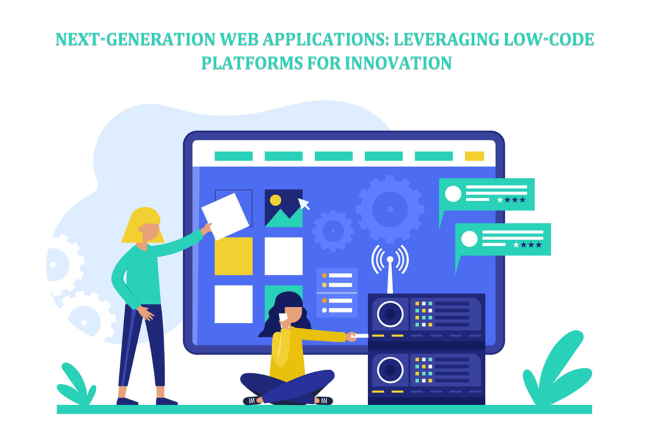
Low-code platforms are designed to be user-friendly, allowing you to create software applications with little or no coding. They use visual interfaces, such as drag-and-drop editors, to build applications and workflows. This intuitive approach to development makes it faster and easier, reducing the amount of code that must be written manually. Instead, you can leverage pre-built templates and components. These platforms often include features like integrations with other services, automated workflows, reusable data models, and user-friendly dashboards, which help even non-developers create functional applications. Low-code platforms are much more straightforward than traditional coding methods. Traditional development generally requires more direct programming, but the amount of work and delivery time depend on the project. Low-code platforms reduce complexity and speed up the process. They allow more people to participate in software development, while developers remain important for complex integrations and security. This democratizes software development and allows businesses to innovate faster.
Low-Code vs. No-Code vs. Traditional Development
Low-code, no-code, and traditional development all produce software, but differ in how much programming, control, and technical oversight they require. Choosing the right approach depends on application complexity, integrations, security needs, and the skills available to your team.
| Consideration | Low-Code | No-Code | Traditional Coding |
|---|---|---|---|
| Programming skills | Useful for advanced features | Often minimal for basic projects | Generally essential |
| Development approach | Visual tools plus custom logic | Primarily visual configuration | Code-first development |
| Customization | Varies by platform; often extensible | Typically constrained by platform features | Broad control over implementation |
| Typical use cases | Business apps, workflows, customer portals | Simple forms, websites, routine automations | Specialized systems and complex products |
| Main trade-off | Platform dependencies and licensing | Limited extensibility | Greater development and maintenance responsibility |
These categories overlap. Many low-code products include no-code features, and custom-coded applications can also use visual tools. For conventional informational websites, a CMS or website builder may be more suitable; see our small business website guide.
The Rise of Low-Code Platforms
Low-code platforms have gained attention as organizations seek faster ways to deliver software and automate processes. Businesses need faster ways to develop software. Traditional development often needs specialized expertise. Low-code tools help developers and business teams collaborate, build prototypes, and deliver selected applications faster. Actual savings depend on the project and platform. Many companies are now using low-code platforms. Some of the leading platforms include Mendix, OutSystems, and Microsoft Power Apps. Mendix is known for its powerful tools and integration capabilities. OutSystems offers high performance and scalability. Microsoft Power Apps is popular because it integrates well with other Microsoft services.
These platforms help businesses innovate and stay competitive. They make it possible to create applications for processes such as inventory tracking, approval workflows, and customer requests, helping teams respond to changing needs. For an example of customer-facing application planning, see custom mobile app development. As more businesses adopt low-code platforms, their use will continue to grow, transforming the software development landscape.
Popular Low-Code Platforms Compared
Mendix, OutSystems, and Microsoft Power Apps serve overlapping but different needs. These are general strengths, not claims that one platform will perform better for every project. Review current product documentation, integrations, deployment choices, and license terms before deciding.
| Platform | Common strengths | Often considered for | Check before adopting |
|---|---|---|---|
| Mendix | Visual application modeling, integrations, team collaboration | Enterprise workflows and business applications | Deployment choices, licensing, data integration |
| OutSystems | Application development and lifecycle tools | Complex business and customer-facing applications | Architecture, scalability requirements, pricing |
| Microsoft Power Apps | Power Platform, Dataverse, Microsoft service connections | Internal tools and connected business workflows | Connector entitlements, user licensing, environment governance |
Platform plans and entitlements change; compare them against your expected user count and usage rather than relying on a single advertised price. Microsoft's Power Platform licensing FAQ explains how licensing varies by usage and capabilities.
Benefits of Low-Code Platforms
Speed
Low-code platforms offer many benefits. One significant advantage is speed. These platforms speed up the development process significantly. With drag-and-drop tools and pre-built templates, you can build applications faster than traditional coding. This allows businesses to launch products quickly and respond to market demands.

Accessibility
Low-code platforms empower non-developers to contribute to the development process. They reduce some barriers associated with coding knowledge, allowing business users to help design workflows, prototypes, and simpler applications. This inclusivity opens up opportunities for more team members to contribute to growth, reducing the dependency on highly skilled developers.
Cost-effectiveness
One potential advantage of low-code platforms is cost-effectiveness. Reusable components, templates, and managed services may reduce development effort and some maintenance tasks, but lower costs are not guaranteed. Evaluate platform subscriptions, per-user or per-app licensing, integrations, data storage, custom development, testing, compliance, ongoing support, and future migration. A low initial development cost can be outweighed by recurring charges as usage grows.
Flexibility and Scalability
Low-code platforms are flexible and easy to adapt. You can make changes to applications quickly as business needs evolve. Many support scalable deployments, but actual capacity depends on application design, data architecture, platform limits, licensing, and available infrastructure. Test realistic workloads before launching a high-traffic application. A scalable business website or customer portal also needs clear navigation and reliable performance.
Use Cases and Applications
Low-code platforms have various use cases and applications. In enterprise solutions, businesses use low-code platforms to create internal tools and systems. For example, a company might develop an employee management system or an inventory tracking tool. These tools help streamline operations and improve efficiency without needing extensive coding knowledge.
Another common use is customer-facing applications. Companies use low-code platforms to build customer portals, mobile apps, and websites. For instance, a retail business might create a customer portal for order tracking and support, or a financial institution could prototype a customer service workflow, subject to appropriate security, regulatory, and technical review. These applications enhance customer experience and engagement.
Startups and Innovators
Startups and innovators also benefit from low-code platforms. They use these platforms to prototype and test new ideas quickly. For example, a startup could prototype an app idea more quickly than a comparable fully custom build, depending on its requirements. This rapid prototyping allows them to test the market and gather feedback quickly, helping them iterate and improve their product efficiently.

How to Choose the Right Low-Code Platform
Start with the business problem, not the product demo. A small team building an inventory approval tool may prioritize existing Microsoft integrations; a company building an external customer portal may put greater weight on authentication, custom interfaces, portability, and traffic capacity.
- Define the outcome: Document users, tasks, data, required features, and what success looks like.
- Map integrations: Check databases, APIs, identity providers, payment systems, and third-party services.
- Confirm deployment and ownership: Understand hosting options, environment separation, export capabilities, and who controls the data.
- Assess security and compliance: Review permissions, authentication, logging, encryption, data residency, and vendor obligations.
- Calculate total cost: Include licenses, users, storage, connectors, development, support, and expansion.
- Run a pilot: Build one representative workflow and test accessibility, performance, maintenance, and a possible exit path.
Do not select a platform based solely on its drag-and-drop interface. Test the hardest requirement early; an integration or deployment limitation can be more expensive than the initial build.
Challenges and Considerations
Complexity Limits
- • Low-code platforms can struggle with highly complex or unique requirements
- • They may not support very specialized functions or intricate workflows
- • For highly customized applications, traditional coding might still be necessary
Vendor Lock-In
- • There is a risk of becoming too dependent on a specific low-code platform
- • Switching platforms can be difficult and costly
- • Choosing a platform that aligns with long-term business needs is essential
Security Concerns
- • Low-code platforms can pose security risks if not properly managed
- • Applications built on these platforms must follow the best security practices
- • Regular security updates and thorough testing are essential to protect data
Quality Control
- • Ensuring the quality and performance of applications is crucial
- • Low-code tools may generate code that is less efficient than hand-written code
- • Regular testing and optimization are needed to maintain high performance and reliability
Low-Code Security and Development Best Practices
Low-code applications still require the same basic security and quality controls as traditionally developed software. The OWASP Low-Code/No-Code Top 10 identifies risks to consider when adopting these tools.
- Limit access: Use role-based permissions and multifactor authentication for administrators and users where supported.
- Protect information: Apply data minimization, encryption, and appropriate privacy controls; avoid embedding secrets in workflows or client-side logic.
- Review integrations: Restrict API tokens, verify connector permissions, and inventory external data flows.
- Test before release: Use separate development, staging, and production environments when available; check security, accessibility, performance, and critical workflows.
- Plan recovery: Maintain appropriate backups and test restoration or export procedures before relying on an application for essential operations.
- Monitor ownership and changes: Document app owners, review activity logs, approve changes, and remove unused apps and accounts.
Platform-managed infrastructure does not automatically secure your application logic or data access. For broader web and account management guidance, see RSH Web support resources.
Future of Low-Code Platforms
The future of low-code platforms looks promising. Platform vendors are developing capabilities such as AI-assisted app design, workflow automation, and additional integrations. These tools can help generate initial designs or expressions, but their output still needs human review for accuracy, security, accessibility, and maintainability. Availability and quality vary across products and plans.
Community-driven enhancements will also play a role. Users and developers will contribute to improving these platforms, adding valuable features and extensions. The long-term impact of low-code platforms on the software development industry is profound. They are not just simplifying development, but also democratizing it, allowing more people to create software. They may help teams prototype and deliver ideas sooner when the platform fits the application, but specialized coding and careful governance remain important.
Frequently Asked Questions
What is the difference between low-code and no-code development?
Low-code combines visual application builders with options for custom code, while no-code generally emphasizes configuration without programming. Both can support rapid development, but their boundaries overlap. Low-code is often suitable when integrations or custom logic are required; no-code may be adequate for simpler workflows, forms, and internal tools.
Can low-code platforms build complete websites and web applications?
Yes. Depending on the platform, low-code tools can build customer portals, dashboards, internal business applications, and certain public-facing websites. However, a simple content website may be better served by a CMS or website builder, while specialized applications may need custom development. Compare functionality, search visibility, performance, accessibility, and hosting options before choosing.
Which low-code platform is best for a small business?
The best low-code platform depends on the business problem, existing software, technical skills, licensing budget, and expected growth. Microsoft Power Apps is worth evaluating for organizations using Microsoft services; Mendix and OutSystems are other options for broader application development needs. Test a realistic use case before committing to a subscription or long-term architecture.
Do you need coding skills to use a low-code platform?
Not always for basic workflows and prototypes. Visual tools can help non-developers create screens, forms, and automation. Coding or developer support may still be necessary for complex integrations, custom business logic, performance tuning, security reviews, and production maintenance. Assign clear responsibility for testing and updating each application.
Are low-code applications secure enough for business use?
Low-code applications can support business security requirements, but security depends on platform capabilities, configuration, data handling, and governance. Apply strong authentication, least-privilege access, secure API connections, testing, and monitoring. Review the guidance in the OWASP low-code security project before deploying sensitive workflows.
How much does it cost to build a low-code application?
Costs vary widely by platform, application scope, number of users, licensing model, storage, connectors, and developer effort. A small internal tool may cost less to build than a complex customer-facing portal, but subscriptions and maintenance can add up. Ask for a total-cost estimate that includes testing, support, future growth, and potential migration expenses.
Can low-code applications scale as a business grows?
Many platforms support additional users, data, and application features, but scalability is not automatic. Performance depends on database design, integrations, workload, architecture, and the plan purchased. Before launch, test representative traffic and data volumes, review platform limits, and identify how upgrades or additional infrastructure would affect cost.
Can you move a low-code application to another platform?
Sometimes, but migration often requires more than exporting data. Visual workflows, business rules, connectors, and user interfaces may use proprietary platform features that cannot transfer directly. Ask vendors about source-code availability, APIs, data exports, and portability, then document an exit plan before building a business-critical application.
Summary
Low-code platforms can simplify software development by combining visual tools, reusable components, and integrations. They may help teams create business applications faster, provided the platform meets their technical and operational requirements. The future potential of low-code platforms is immense, with possibilities for more integration, AI advancements, and community-driven improvements. Their long-term suitability still depends on vendor support, application portability, and ongoing maintenance.
We encourage you to explore low-code platforms and consider their benefits for your next web application project. Whether you are a business looking to streamline operations or a startup wanting to test new ideas quickly, low-code platforms can be a powerful tool. Begin with a small pilot, measure its results, and expand only after confirming security, performance, usability, and total cost.
Author Bio: Inam Ullah Dar
A content writer by passion and profession. He started his journey with Motif Creatives. He primarily writes for guest post articles falling under various niches. The main area of his interest and expertise is Web design & Digital marketing.
Add Comment
This policy contains information about your privacy. By posting, you are declaring that you understand this policy:
- Your name, rating, website address, town, country, state and comment will be publicly displayed if entered.
- Aside from the data entered into these form fields, other stored data about your comment will include:
- Your IP address (not displayed)
- The time/date of your submission (displayed)
- Your email address will not be shared. It is collected for only two reasons:
- Administrative purposes, should a need to contact you arise.
- To inform you of new comments, should you subscribe to receive notifications.
- A cookie may be set on your computer. This is used to remember your inputs. It will expire by itself.
This policy is subject to change at any time and without notice.
These terms and conditions contain rules about posting comments. By submitting a comment, you agree with these rules:
- Although the administrator will attempt to moderate comments, not all comments can be moderated at all times.
- You acknowledge that all comments express the opinions of the original author and not those of the administrator.
- You will not post material which is knowingly false, obscene, hateful, threatening, harassing or invasive of privacy.
- The administrator has the right to edit, move or remove any comment for any reason and without notice.
Failure to comply with these rules may result in being banned from submitting further comments.
These terms and conditions are subject to change at any time and without notice.
Tweet Share Pin Email
 Choosing the Perfect Domain Name for Your Website
 Use WordPress to Build a Website
 The Best Blogging Articles and Blogging Platforms
 Can I Trust Hosting Reviews Websites?
Comments